
The AI Assistant lets you analyze risk data through natural language. It is off until you supply a provider and an API key. MTC Skopos never proxies these calls: your client talks directly to the provider you configure, with your key.
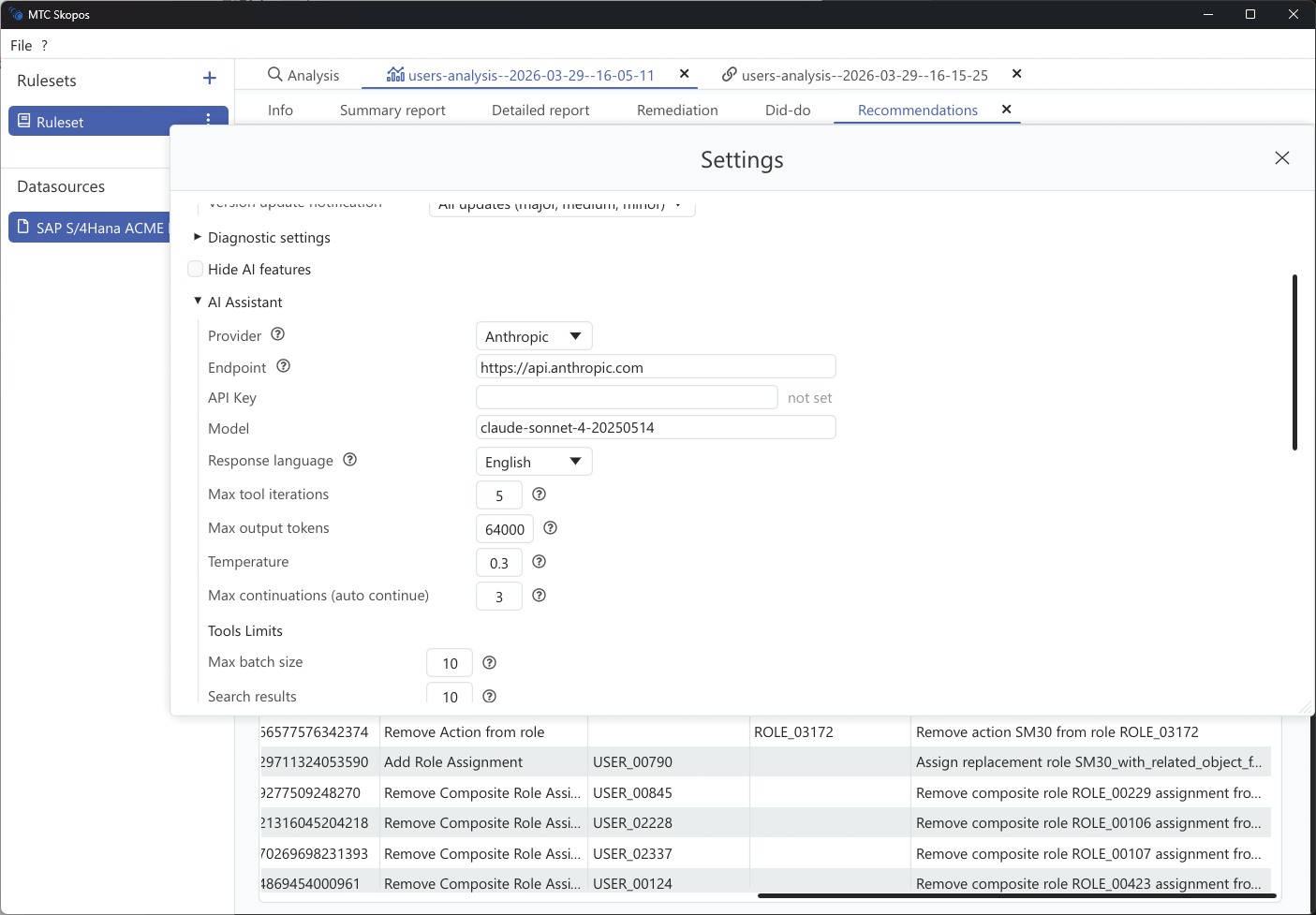
Provider setup
| Provider type | Typical models | Notes |
|---|---|---|
| Anthropic | Claude Sonnet, Claude Opus | The default |
| OpenAI Compatible | GPT-class models, and any OpenAI-compatible endpoint including local servers | Set a base URL for anything other than the public OpenAI API |
| Azure OpenAI | Azure-hosted deployments | Needs a base URL, API version, and auth header |
- Go to Settings > AI Assistant
- Select your Provider Type
- Enter your API Key
- Choose a Model. The shipped default is
claude-sonnet-4-20250514 - Set a Base URL if you use a self-hosted, proxy, or Azure endpoint
Azure OpenAI
Azure deployments need three extra fields:
| Field | Default |
|---|---|
| Base URL | none, required |
| API Version | 2024-10-21 |
| Auth Header | api-key |
Model settings
| Setting | Default | What it does |
|---|---|---|
| Temperature | 0.3 | Response variability. 0.0 is near-deterministic, 1.0 is creative. Low values suit audit work |
| Max Output Tokens | 16384 | Ceiling on the length of a single response |
| Response Language | English | Language the model answers in |
| Context Window | 200,000 | Total conversation budget before compaction kicks in |
Two further settings govern long conversations: a reserve of 30,000 tokens is held back for the response, and 40,000 tokens of recent turns are kept verbatim when older turns are compacted. You rarely need to change either.
Tool limits
These caps decide how much data any single tool call may return. They exist because analysis results are frequently far larger than a context window.
| Setting | Default | Ceiling |
|---|---|---|
| Batch size | 10 | 25 |
| Search results | 10 | 100 |
| Entities per risk | 20 | 100 |
| Overview top N | 10 | 100 |
| Aggregation groups | 20 | 100 |
| Detail items | 50 | 100 |
| Flat recommendations | 30 | 100 |
The ceiling is a hard cap in the application. Asking the model for "all users" does not lift it, so a broad question against a large result returns a truncated view rather than an error. Where completeness matters, scope the analysis narrowly first and ask the assistant about the smaller result. See Scoping Your Analysis.
Lower values produce faster, cheaper answers. Raise them when you need breadth and accept the token cost.