
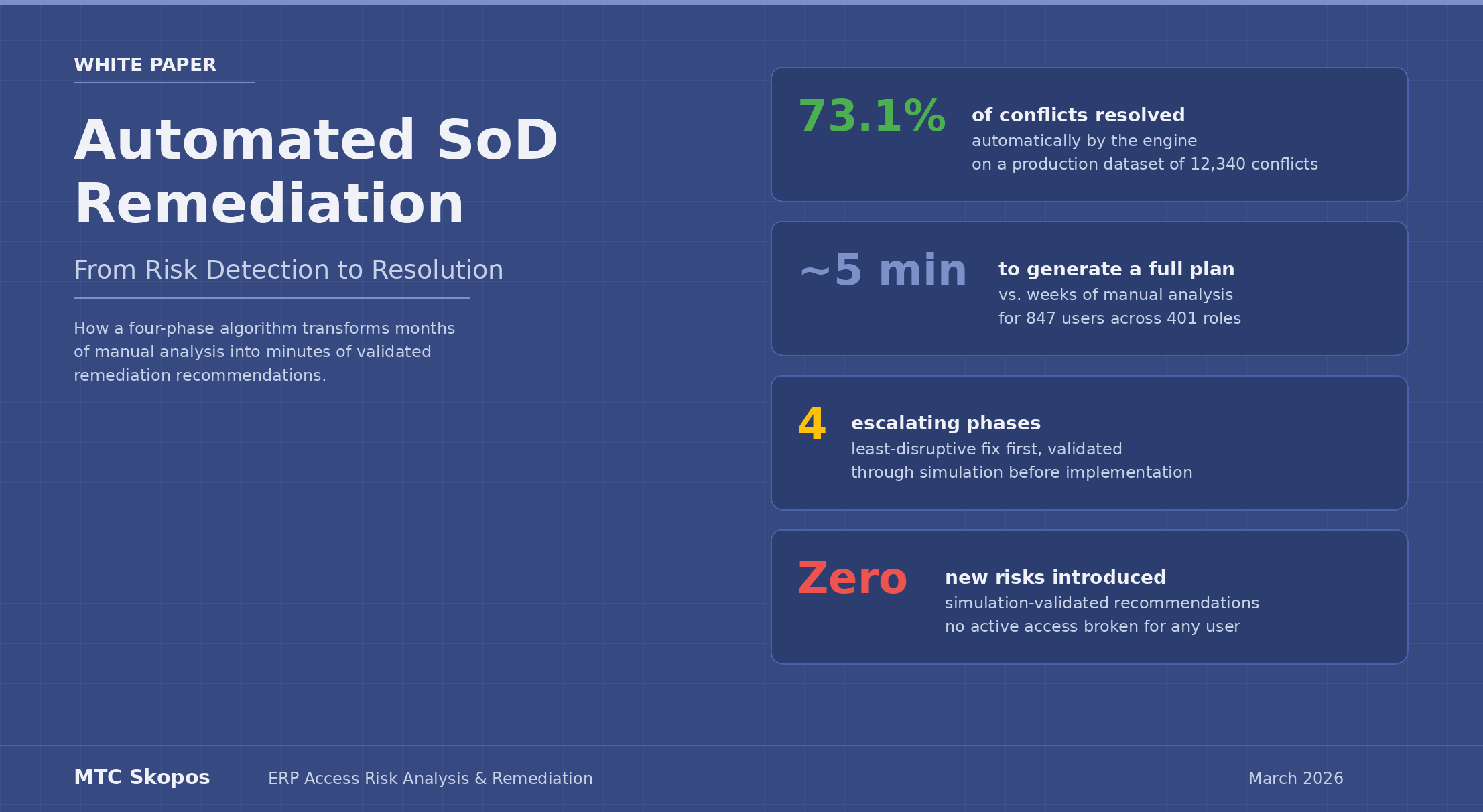
Automated SoD Remediation: From Risk Detection to Resolution
Automated SoD remediation is the process of using algorithms to generate validated resolution plans for segregation of duties conflicts. Instead of manually reviewing thousands of conflicts in spreadsheets, a remediation engine produces specific steps — remove this role, reassign that user, split this role — validated through simulation before implementation.
A White Paper by Meylan Technologies & Consulting
Executive Summary
Segregation of Duties (SoD) remediation is one of the most resource-heavy activities in enterprise risk management. Most teams invest in detecting access conflicts, then get stuck on the next step: resolving them.
A first-time risk analysis on a production SAP system can return 10,000 to 50,000 violations. At a manual review pace of 15 to 20 conflicts per day, full remediation runs to months or years of effort.
MTC Skopos closes that gap with a built-in remediation engine. The engine generates specific resolution plans through four phases of escalating intervention, always trying the least disruptive fix first. It uses real system usage data to tell apart access that matters from access that simply exists. Every recommendation is validated through simulation before it reaches a reviewer.
On a production dataset of 847 users and 12,340 SoD conflicts, the engine resolved 73.1% of conflicts automatically in under five minutes. The output is a step-by-step plan ready for implementation.
This white paper covers the technical approach, the business case, and the practical outcomes for teams ready to move from detection to resolution.
The Remediation Gap
The Problem Every GRC Team Faces
Most access risk analysis tools do a reasonable job of detecting SoD conflicts. They can tell you that User JSMITH has both vendor creation and payment processing capabilities, creating a Procure-to-Pay conflict. What they rarely tell you is what to do about it.
The typical remediation workflow looks like this:
- Run an SoD analysis and receive a list of thousands of conflicts
- Export the results to a spreadsheet
- For each conflict, manually investigate which roles contribute to the issue
- Determine whether the user actually needs the conflicting access
- Propose a change (remove a role, modify a role, or accept the risk)
- Verify the proposed change would not break legitimate access for the user or others sharing the same role
- Re-run the analysis to confirm the conflict is resolved and no new conflicts were introduced
Steps 3 through 7 are repeated for every conflict. Each pass requires cross-referencing role assignments, composite role structures, authorization objects, usage logs, and organizational context. On a system with complex role hierarchies and thousands of users, this can eat months of a skilled consultant's time.
Why Manual Remediation Falls Short
Manual remediation suffers from several structural limitations:
Scale. The number of conflicts is too high for individual review. A 2,000-user SAP system can hold 15,000 SoD violations. Even with prioritisation, the backlog grows faster than the team can work through it. New user provisioning keeps adding to the pile.
Interdependence. Fixing one conflict can create others. Removing a role from a user shifts the authorization path. That shift can trigger new conflicts. Without simulating each change, remediation turns into a cycle of fixes and regressions.
Collateral impact. Roles are shared across users. Changing a role to fix a conflict for one user can break legitimate access for twenty others. Manual analysis rarely catches that.
Inconsistency. Different analysts make different calls. Without a clear method, the remediation plan depends on who did the work and what assumptions they made about usage.
The MTC Skopos Approach
Design Principles
The MTC Skopos remediation engine was built around three principles:
-
Least disruption first. Always try the smallest possible change before escalating to structural modifications. Removing an unused role assignment is preferable to splitting a role. Splitting a role is preferable to redesigning the authorization concept.
-
Usage-driven decisions. Every recommendation is grounded in actual system usage data. The engine distinguishes between access that is actively used and access that merely exists. Unused access is the low-hanging fruit: it represents risk without business value.
-
Validated before proposed. Every recommendation can be simulated to confirm it achieves the intended risk reduction without introducing new conflicts or breaking legitimate access.
The Four-Phase Algorithm
The engine works through four phases, stopping as soon as each individual risk is resolved:
Phase 1: Remove Single Role Assignments
The engine begins with the least disruptive action: removing directly assigned single roles from individual users. For each user with SoD conflicts, it identifies single roles that contribute to the conflict and scores them based on two factors:
- Risk contribution: How many risky actions does the role provide? Higher counts make the role a more attractive candidate for removal.
- Usage overlap: Are all of the user's actively used actions from this role also available through another assigned role? If yes, the role can be safely removed without any business impact.
Only roles where full usage coverage exists through alternative assignments are removed. If the user would lose access to something they actively use, the role is passed to subsequent phases.
Phase 2: Remove Composite Role Assignments
The same logic applies to composite roles. The engine evaluates whether a user's active usage from a composite role is fully covered by other role assignments. Composite roles are scored and processed in order of highest risk reduction with lowest business impact.
Phase 3: Remove Single Roles from Composite Roles
When role assignments cannot be removed at the user level, the engine examines role structures. For each composite role that could not be removed in Phase 2, it evaluates the member single roles and determines whether a specific single role can be removed from the composite.
A single role qualifies for removal from a composite when:
- Its usage across all users assigned to the composite falls below the configured threshold (low execution count AND last execution older than the configured period), OR
- All users who actively use actions from that single role have alternative access through other roles
Because this change affects every user assigned to the composite role, the engine calculates collateral impact before proceeding.
Phase 4: Remove Actions from Roles
When role-level changes are insufficient, the engine modifies permissions within roles. This phase handles both directly assigned single roles and single roles nested within composites.
For roles using SAP's master/derived architecture, the engine operates on the master role while tracking which derived role triggered the analysis.
Three outcomes are possible for each risky action:
Clean removal: If no user across the entire role hierarchy actively uses the action, it is removed from the role. No splitting required.
Role splitting: If some users actively use the action but they represent a small percentage of total role assignments (configurable, default 50%), the engine generates a role split. The action is removed from the original role, a new single role containing only that action is created, and the new role is assigned to users who were actively using it.
Manual review: If active users exceed the collateral impact threshold, no automatic recommendation is generated. The conflict is flagged for human review.
The Role of Usage Data
Usage data is the foundation that makes automated remediation possible. Without knowing who actually uses what, any remediation recommendation is a guess.
MTC Skopos supports two complementary sources of usage data:
- Transaction execution logs (SM20/STAD): Records of which transactions were executed, by whom, and how often
- Change document logs (CDHDR): Records of actual business object modifications, providing evidence of meaningful activity beyond simply opening a transaction
The engine classifies access into two categories:
- Unused: The action has not been executed within the configured period (default: 180 days) or falls below the minimum execution count threshold
- Active: The action meets or exceeds the usage thresholds, indicating the user relies on this access for their work
This classification, detailed further in our did-do analysis approach, drives every decision the engine makes. Unused access can be removed with confidence. Active access requires alternative coverage or manual judgment.
Configuration and Flexibility
Different organizations have different risk appetites and business contexts. The remediation engine exposes several configurable parameters:
| Parameter | Description | Default |
|---|---|---|
| Usage period | How far back to look for transaction usage | 180 days |
| Minimum execution count | Minimum number of executions to consider an action "actively used" | Configurable per organization |
| Collateral impact threshold | Maximum percentage of a role's users who can be affected by a role modification | 50% |
These parameters allow organizations to tune the engine's behavior to their specific context. A conservative organization preparing for an audit might set a shorter usage period and lower collateral threshold. An organization prioritizing rapid risk reduction might accept higher collateral thresholds.
Validation Through Simulation
Generating recommendations is one thing. Trusting them is another.
The MTC Skopos remediation engine integrates with the platform's simulation capability to validate every recommendation before implementation. The validation workflow operates as follows:
- The engine generates the full remediation plan
- All proposed changes are translated into simulation criteria
- A "what-if" analysis runs against the current authorization state with the proposed modifications applied
- The simulation confirms that targeted risks are eliminated
- The simulation verifies that no new risks are introduced
- The simulation checks that no active access is broken for any user
Only after this validation step is the plan presented for review. If a recommendation would create unintended consequences, it is caught before it reaches a decision-maker.
This approach converts the review process from "analyze whether this change is safe" to "approve a change that has already been validated."
Real-World Results
The following results were achieved on an anonymized production dataset:
Starting environment:
- 847 active users across 312 single roles and 89 composite roles
- 12,340 SoD conflicts identified in the initial analysis
- 6 months of usage data (transaction execution + change documents)
Engine execution time: 4 minutes 12 seconds
Results by phase:
| Phase | Action Taken | Conflicts Resolved |
|---|---|---|
| Phase 1 | Removed 194 single role assignments (unused) | 4,218 (34.2%) |
| Phase 2 | Removed 31 composite role assignments | 1,851 (15.0%) |
| Phase 3 | Removed 47 single roles from composites | 1,605 (13.0%) |
| Phase 4a | Removed 83 unused actions from roles | 892 (7.2%) |
| Phase 4b | Generated 12 role splits | 448 (3.6%) |
| Total | 9,014 (73.1%) |
The remaining 3,326 conflicts (26.9%) were flagged for manual review. The majority involved heavily used transactions where the collateral impact threshold was exceeded, exactly the type of decision that requires human judgment and business context.
Post-simulation validation confirmed zero new risks introduced and no active access disrupted for any user.
Business Impact
Time and Cost Reduction
The most immediate impact is on the time required to produce a remediation plan. What traditionally takes weeks or months of consultant analysis, cross-referencing role assignments, usage data, and organizational context, is completed in minutes.
For a consulting engagement, this changes the economics fundamentally. The technical analysis that previously consumed the bulk of a project budget becomes a fraction of it. The same budget can instead be allocated to activities that require human expertise:
- Working with business process owners to validate findings
- Evaluating whether specific risks should be remediated or mitigated
- Designing and documenting mitigating controls
- Training internal teams on sustainable access governance
Iterative Analysis
When generating a remediation plan takes minutes instead of weeks, iterative approaches become practical. Organizations can run multiple scenarios and compare outcomes:
- "What if we remediate only critical risks?"
- "What if we exclude the Finance department from Phase 3 and 4 changes?"
- "What is the impact of lowering the usage period from 180 to 90 days?"
Each scenario produces a complete, validated remediation plan. Decision-makers can compare options rather than committing to a single path.
Audit Readiness
The remediation plan provides auditable documentation: a clear record of what was analyzed, which changes were recommended, why each recommendation was generated, and what simulation confirmed. This documentation supports both internal audit committees and external regulatory reviews.
Reduced Risk of Regression
Manual remediation frequently introduces regressions, fixing one conflict while inadvertently creating another. The simulation-based validation built into MTC Skopos catches these cascading effects before implementation, reducing the cycle of fix-test-revert that plagues manual approaches.
AI-Augmented Remediation
Beyond the built-in algorithm, MTC Skopos supports AI-assisted remediation through its Model Context Protocol (MCP) server. This integration allows AI assistants to access pre-computed analysis results and have informed conversations about remediation strategy.
With MCP, teams can ask natural-language questions grounded in their actual system data:
- "Which Finance risks affect the most users?"
- "If I remove transaction ME21N from role Z_MM_PURCHASING, who is affected?"
- "Explain our Procure-to-Pay risks in terms a CFO would understand"
- "What alternative roles could replace Z_FI_AP for users who only need display access?"
The AI does not replace the remediation engine. It provides an additional interface for exploring results, communicating findings to stakeholders, and generating documentation in business language. The analytical engine remains the source of truth; the AI makes that truth more accessible.
How It Compares
For a broader comparison of how different platforms handle remediation alongside detection, see our SAP SoD tools comparison.
| Capability | MTC Skopos | Traditional GRC Suites | Manual / Spreadsheet |
|---|---|---|---|
| Automated remediation recommendations | Four-phase algorithm with scored, prioritized output | Limited or not available | Not applicable |
| Usage-based decision making | Built-in usage analysis (execution + change logs) | Basic or requires separate module | Manual correlation |
| Simulation validation | Integrated, automatic | Limited | Manual re-run |
| Collateral impact assessment | Automatic, configurable thresholds | Not available | Manual estimation |
| Role splitting recommendations | Automatic with user reassignment | Not available | Manual design |
| Time to produce remediation plan | Minutes | Hours to days | Weeks to months |
| AI-assisted analysis | MCP integration | Not available | Not available |
Implementation
The remediation engine is a built-in capability of MTC Skopos. No additional modules, licenses, or infrastructure are required. Organizations already using MTC Skopos for risk analysis can run remediation immediately.
For new implementations, the typical path is:
- Data extraction: Export user, role, and usage data from SAP (via RFC or ABAP extraction programs) or any ERP via CSV
- Ruleset configuration: Define or adapt the SoD and critical access rules for your organization
- Risk analysis: Run the initial SoD analysis to establish the baseline conflict inventory
- Remediation: Configure thresholds and execute the remediation engine
- Validation: Review the simulation results and approve the remediation plan
- Implementation: Execute the approved changes in your SAP system
The entire process from data extraction to a validated remediation plan can be completed in days, not months.
Conclusion
SoD remediation does not need to be a multi-month manual project. Most conflicts come from a small set of patterns: unused access, redundant role assignments, and low-impact role changes. Skopos's engine handles those automatically through algorithmic logic and usage data.
The 73% automated resolution rate seen on production systems is not an aspiration. It reflects how SoD conflicts actually look in real environments. Most are accumulated access that is no longer needed. The engine finds the unused access, proposes its removal, validates the proposal through simulation, and produces a ready-to-implement plan.
The conflicts that need human review are the ones with active usage, where a fix would touch real business operations. The point is not to remove human judgement. It is to focus it where it matters.
For teams under audit pressure or regulatory deadlines, automated remediation cuts the timeline from months to days. It also moves the work from a large consulting engagement to a tool-assisted process that an internal team can run on its own.
Related articles
- Advanced Remediation: Automated SAP Risk Resolution
- SoD Conflicts in SAP: 177+ Risks & Detection Guide
- SAP Did-Do Analysis: Actual vs Theoretical Risk
- 8 Best SAP SoD Tools & Software Compared
For more information about MTC Skopos and to schedule a demonstration, contact us at info@meylan-tc.com or visit mtcskopos.com.
Meylan Technologies & Consulting Sarl -- Geneva, Switzerland