
The generic format is how non-SAP systems get analyzed. You map your system's export into four tables with fixed column names, and the risk engine then treats that data exactly as it treats an SAP extract. It is what makes MTC Skopos usable against Navision, Odoo, IFS, or an in-house application.
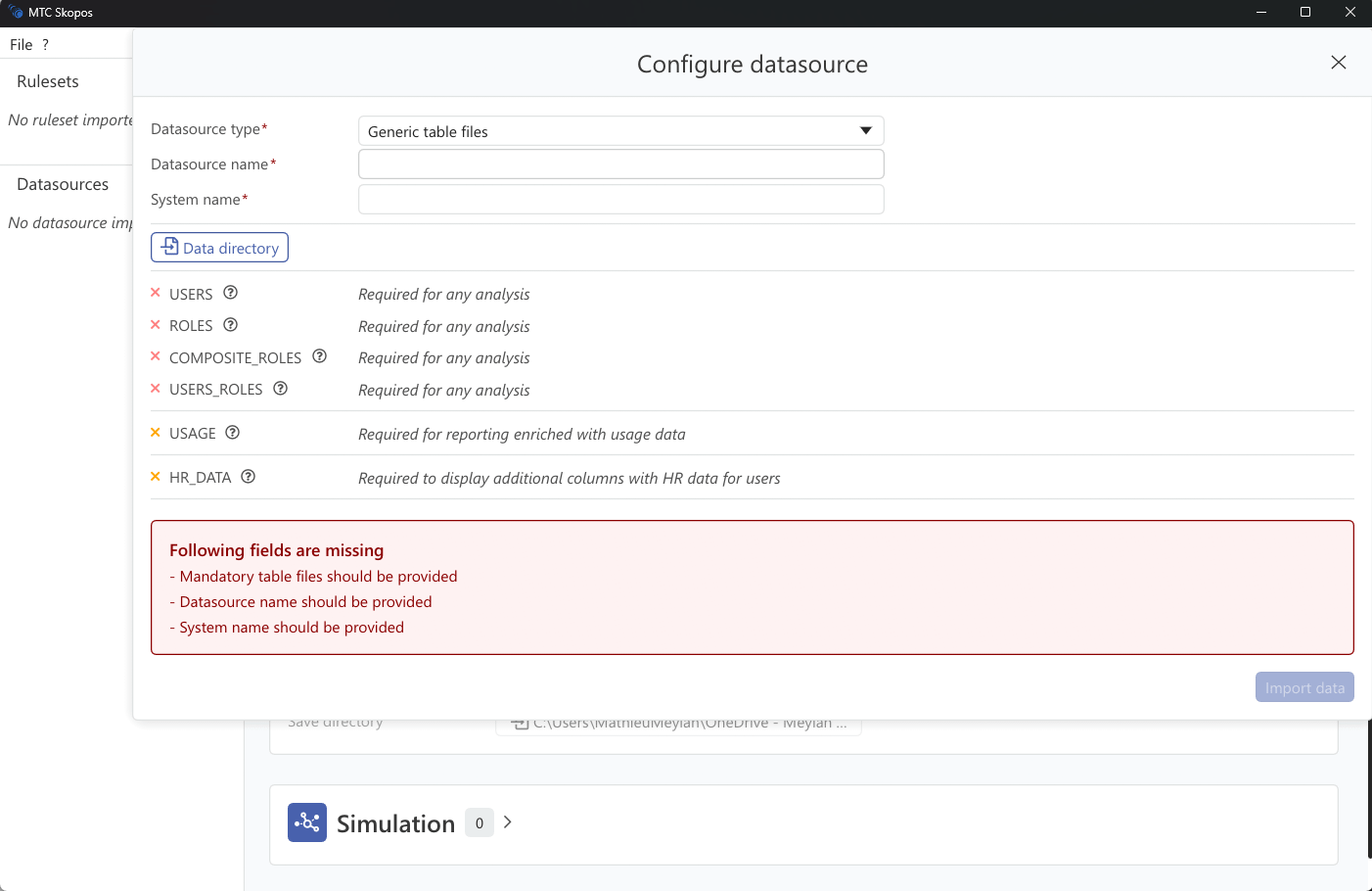
Setup
- Click Add → Generic Files
- Select the folder holding the tables below
- Click Save
Table format
Each file is recognized by its header row, not by its filename. A file is read as a given table when it contains every column that table requires; extra columns are ignored.
| Table | Required columns |
|---|---|
| Users | User ID, Full Name, User Type, User Group, Valid From, Valid To |
| Roles | Role, Role Description, Authorization, Object, Field, Value From, Value To |
| Composite roles | Composite Role, Single Role |
| User roles | User ID, Composite Role, Single Role, Valid From, Valid To |
| Usage | Action, User, Execution Count, Last Executed on |
Because detection is by header, order the columns however you like, and beware that a file matching two header sets is claimed by the first match. The composite role table needs only two columns, so keep it to exactly Composite Role and Single Role to avoid it being mistaken for the user role table.
Modelling notes
The roles table is one row per authorization value, not one row per role. A role with three objects of two fields each is therefore six or more rows, all sharing the same Role value. Authorization groups the rows that belong to one authorization instance, which matters when the same object appears twice in a role with different values.
For a system with no composite concept, supply the user role table with Composite Role left empty and populate Single Role. For a system with no validity dates, set Valid From and Valid To to values that cover the analysis window.
Usage is optional, and supplying it changes what remediation can do: without execution evidence the engine cannot tell used access from merely assigned access, so its recommendations become considerably more conservative.
Supplementary files
HR dimensions, cross-system identity mapping, risk exclusions, and organizational scopes work the same way here as for SAP sources. See Supplementary Data Files.
File format requirements
- CSV or TSV with a header row using the exact column names above
- UTF-8 encoding
- Delimiter detected automatically: comma, semicolon, tab, or pipe