
Data sources are configured once and then loaded into memory when you need them. Because the whole dataset is held in memory for analysis speed, deciding what is loaded is also how you manage the memory footprint of a large landscape.
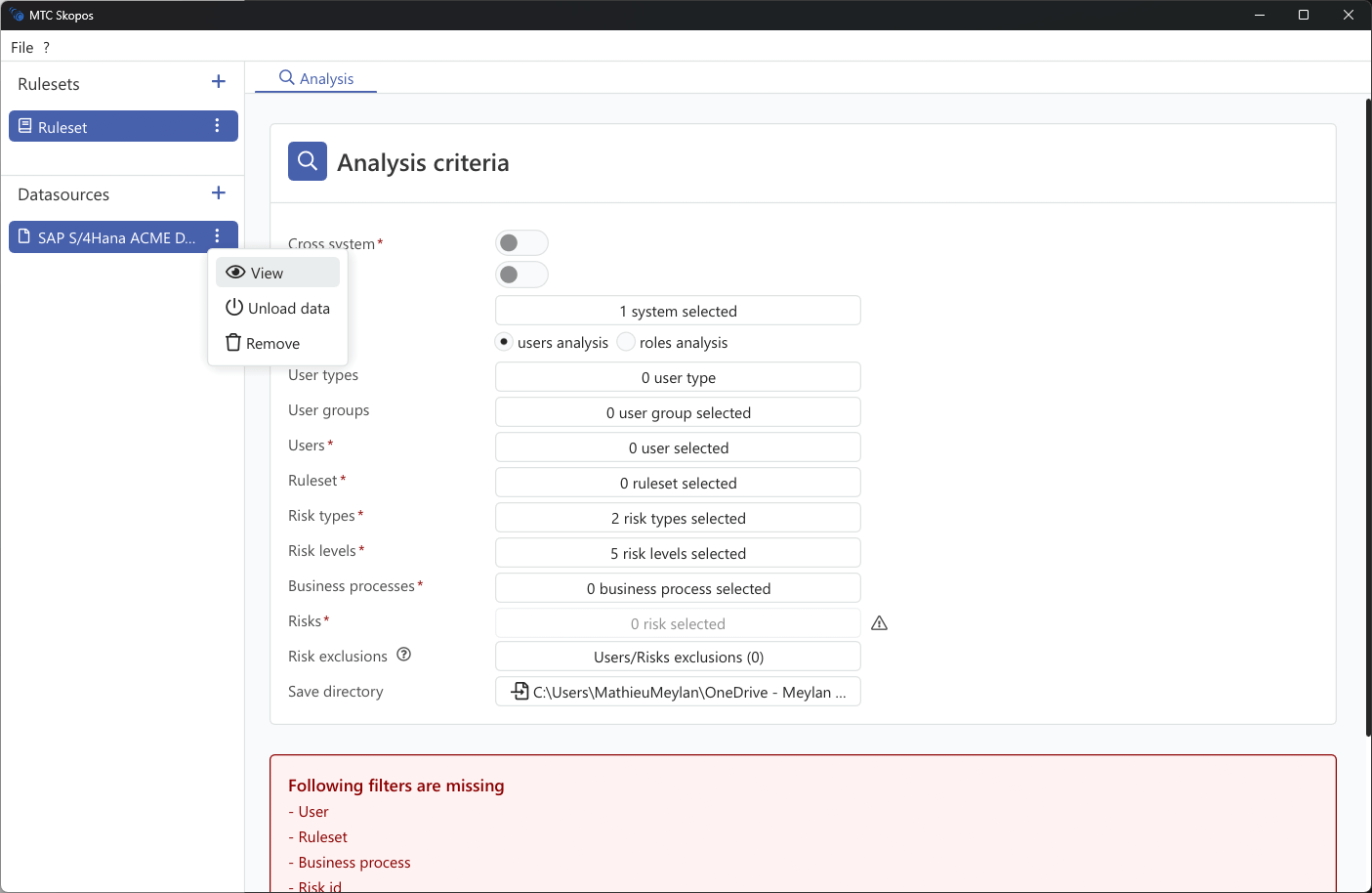
Actions
| Action | Effect |
|---|---|
| Load | Reads the data into memory and computes role statistics. Required before browsing or analyzing |
| Unload | Frees the memory without deleting the configuration. For a remote connection, loading again re-reads from SAP |
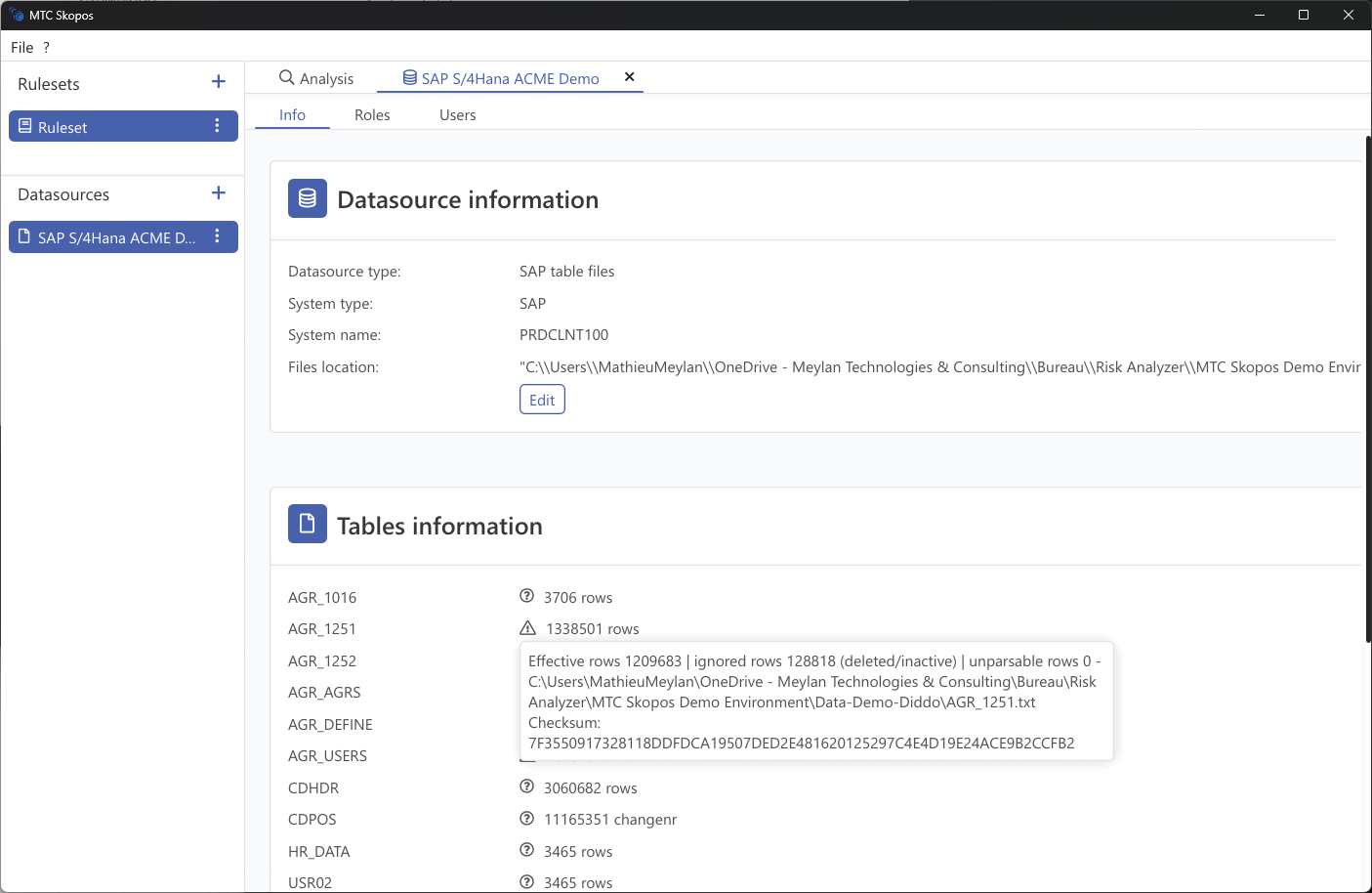
| View | Opens the configuration to change connection settings or file paths, and shows per-table row counts |
| Remove | Deletes the data source configuration. Files on disk are untouched |
Unload the systems you are not analyzing. On a landscape of several large productive systems, keeping every one loaded is what turns an analysis that fits comfortably in memory into one that does not.
Reading the row counts
The View panel reports four numbers per table, and the gaps between them are diagnostic.
| Count | Meaning |
|---|---|
| Total | Rows present in the file or returned by the connection |
| Effective | Rows accepted into the internal model and used by analysis |
| Ignored | Rows deliberately skipped, for example expired assignments outside the analysis window |
| Unparsable | Rows that could not be read, usually a delimiter or encoding problem |
Any non-zero unparsable count deserves investigation before you trust a result: those rows are silently absent from the analysis, so a conflict they would have created will not be reported. A large ignored count is usually legitimate and reflects historical assignments.
Effective far below total, with nothing unparsable, generally means the file is fine but its contents fall outside what the analysis considers current.
Refreshing data
For a remote SAP connection, Unload then Load re-reads from the system. For a file-based source, replace the files on disk and reload; the paths are remembered, so nothing needs reconfiguring.
Re-reading matters for evidence: an analysis log records the checksum and row count of each table as loaded, so a result is tied to a specific extract. See the IT Auditor Verification Guide.