
Import data exported from SAP as CSV or TSV files. This is the usual choice when RFC access to the system is not available, or when an auditor has been handed an extract rather than a connection.
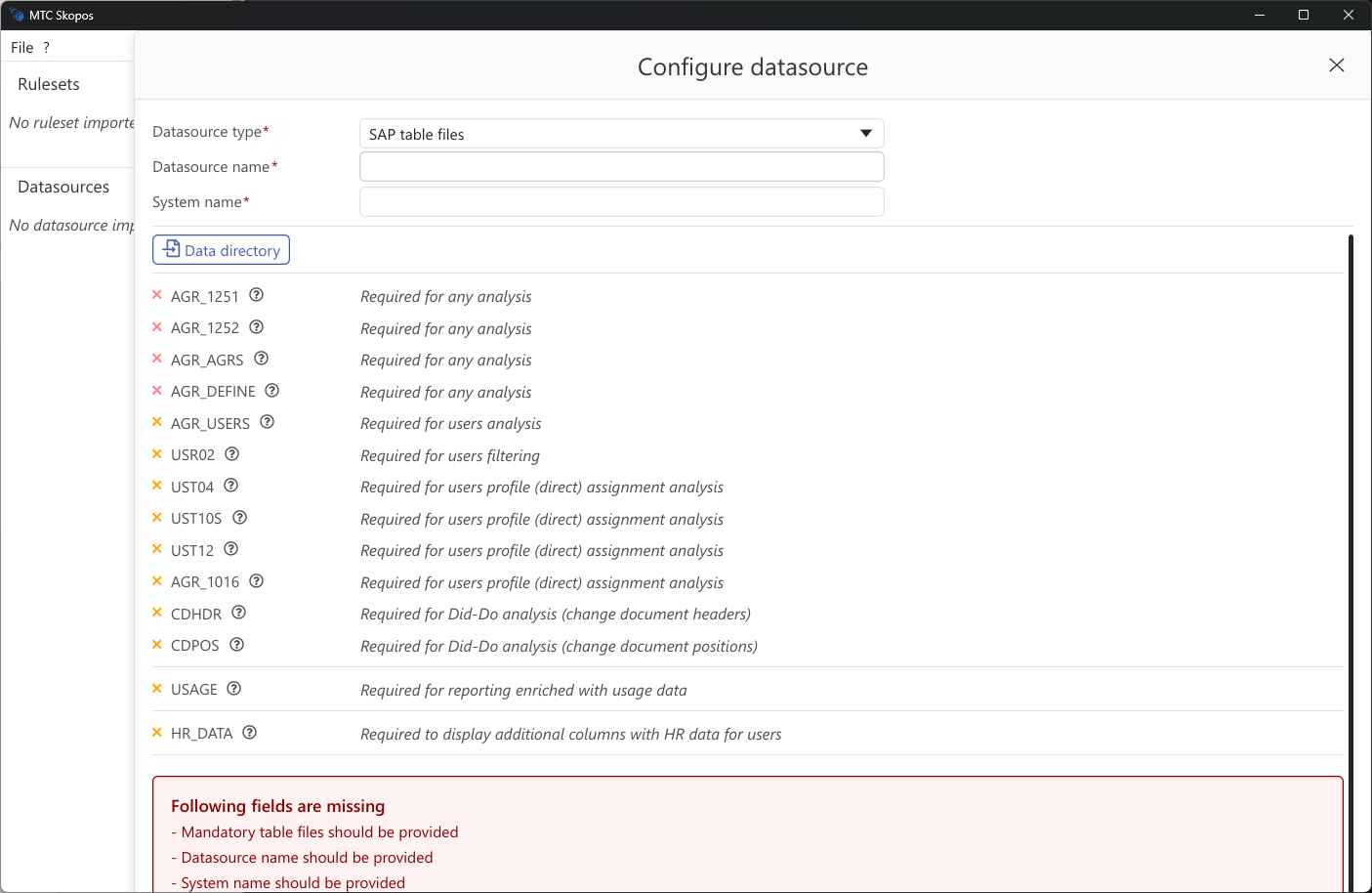
Setup
- Click Add → SAP Files
- Select the folder containing the exported files
- MTC Skopos detects each table and reports what it found
- Click Save
Which tables you need
Only four tables are mandatory. Everything else unlocks a specific capability, so what you export depends on the analysis you intend to run.
| Table | What it provides | Needed for |
|---|---|---|
| AGR_1251 | Role authorization values | Any analysis |
| AGR_1252 | Organizational level values | Any analysis |
| AGR_AGRS | Composite to single role structure | Any analysis |
| AGR_DEFINE | Role definitions | Any analysis |
| AGR_USERS | User to role assignments | Users analysis |
| USR02 | User master records | Filtering users by type, group, lock status and validity |
| UST04 | User to profile assignments | Directly assigned profile analysis |
| UST10S | Profile authorizations and objects | Directly assigned profile analysis |
| UST12 | Authorization object field values | Directly assigned profile analysis |
| AGR_1016 | Role to profile mapping | Directly assigned profile analysis |
| CDHDR | Change document headers | Did-Do analysis |
| CDPOS | Change document items | Did-Do analysis |
| usage | Transaction execution counts and dates | Did-do evidence and usage-aware remediation |
A roles analysis runs on the four mandatory tables alone. A users analysis additionally needs AGR_USERS, and USR02 if you intend to filter on user attributes.
The four profile tables matter in older or heavily customized systems where authorizations reach users through directly assigned profiles rather than through roles. Without them, that access is invisible to the analysis and a real conflict can be missed. Export them if you are not certain your landscape is role-only.
CDPOS is frequently the largest file in an SAP landscape and can exceed 50 GB. MTC Skopos builds a sidecar index next to it (CDPOS.csv.idx) after the data source loads, and field-level changelog detail stays unavailable until that index finishes.
Supplementary files
The same folder can carry optional files that add HR dimensions, cross-system identity, accepted-risk exclusions, and organizational scope bindings. See Supplementary Data Files.
File format requirements
- CSV or TSV with a header row using SAP technical field names
- UTF-8 encoding
- Delimiter detected automatically: comma, semicolon, tab, or pipe
- Files are matched on their header content, not on their filename, so an export named
export_1.txtis still recognized if its headers are right