
Analyze risks at the user level to identify which users have conflicts.
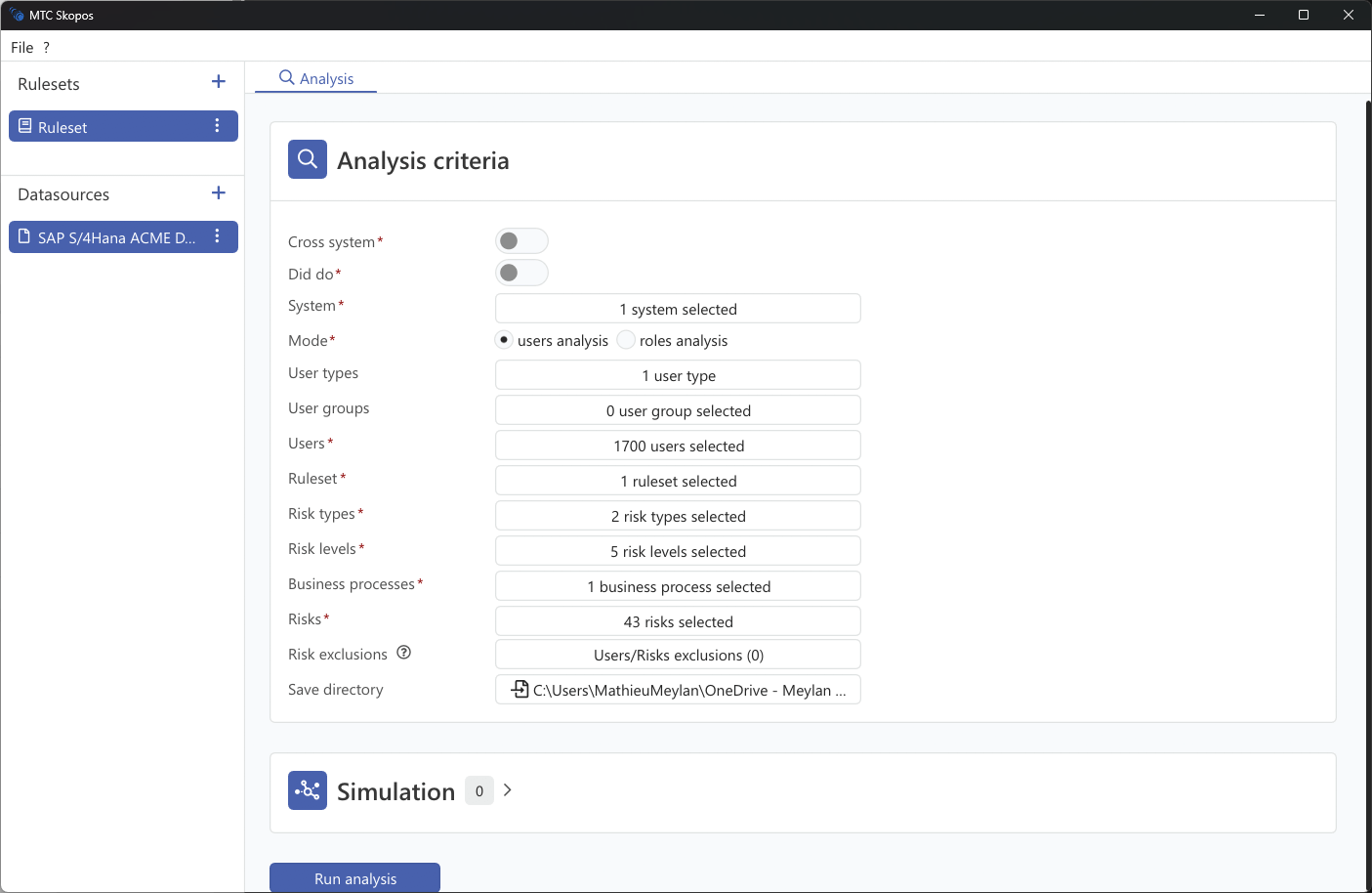
Steps
- Go to Analysis
- Select users analysis mode
- Select one or more systems
- Select a ruleset
- Set the analysis criteria (see below)
- Click Run analysis
Analysis Criteria
Each criterion narrows the analysis before it runs, so the result answers a specific question instead of returning everything. Criteria marked with a red asterisk in the interface are mandatory.
| Criterion | Effect |
|---|---|
| Cross system | Analyze risks spanning several systems rather than one |
| IAM analysis | Include IAM business roles in the analysis, then choose which IAM systems to analyze |
| Did do | Include execution data, so results distinguish access that is used from access that is only assigned |
| System | The data sources to analyze |
| Mode | Users analysis or roles analysis |
| User types | Dialog, System, Service, Communication |
| User groups | Filter by SAP user group |
| Departments | Filter by HR department, requires HR data |
| Locations | Filter by HR location, requires HR data |
| Functions | Filter by HR function, requires HR data |
| Additional Scopes | Filter by your own scope column, requires HR data with an Additional Scope column |
| Users | Restrict to a specific user selection |
| Single roles | Only users holding these single roles |
| Composite roles | Only users holding these composite roles |
| Business roles | Only users holding these IAM business roles |
| Ruleset | The ruleset used to evaluate risks |
| Risk types | SoD, Critical Access, or both |
| Risk levels | Critical, High, Medium, Low |
| Business processes | Restrict to the processes in scope |
| Risk owners | Restrict to the risks owned by specific owners |
| Risks | Restrict to specific risk IDs |
| Risk exclusions | Accepted user and risk combinations to leave out of the result |
| Organisational scopes | Bind the organizational placeholders used by the ruleset, for example $BUKRS. Only appears when the active ruleset declares placeholders |
| Save directory | Where the analysis output is written |
For how to combine these to answer a particular question, see Scoping Your Analysis.
Simulation
The Simulation panel tests changes before the analysis runs. See User Simulation.