
Before running anything, it helps to know how the application is arranged, because the order is not arbitrary and skipping a step produces an empty result rather than an error.
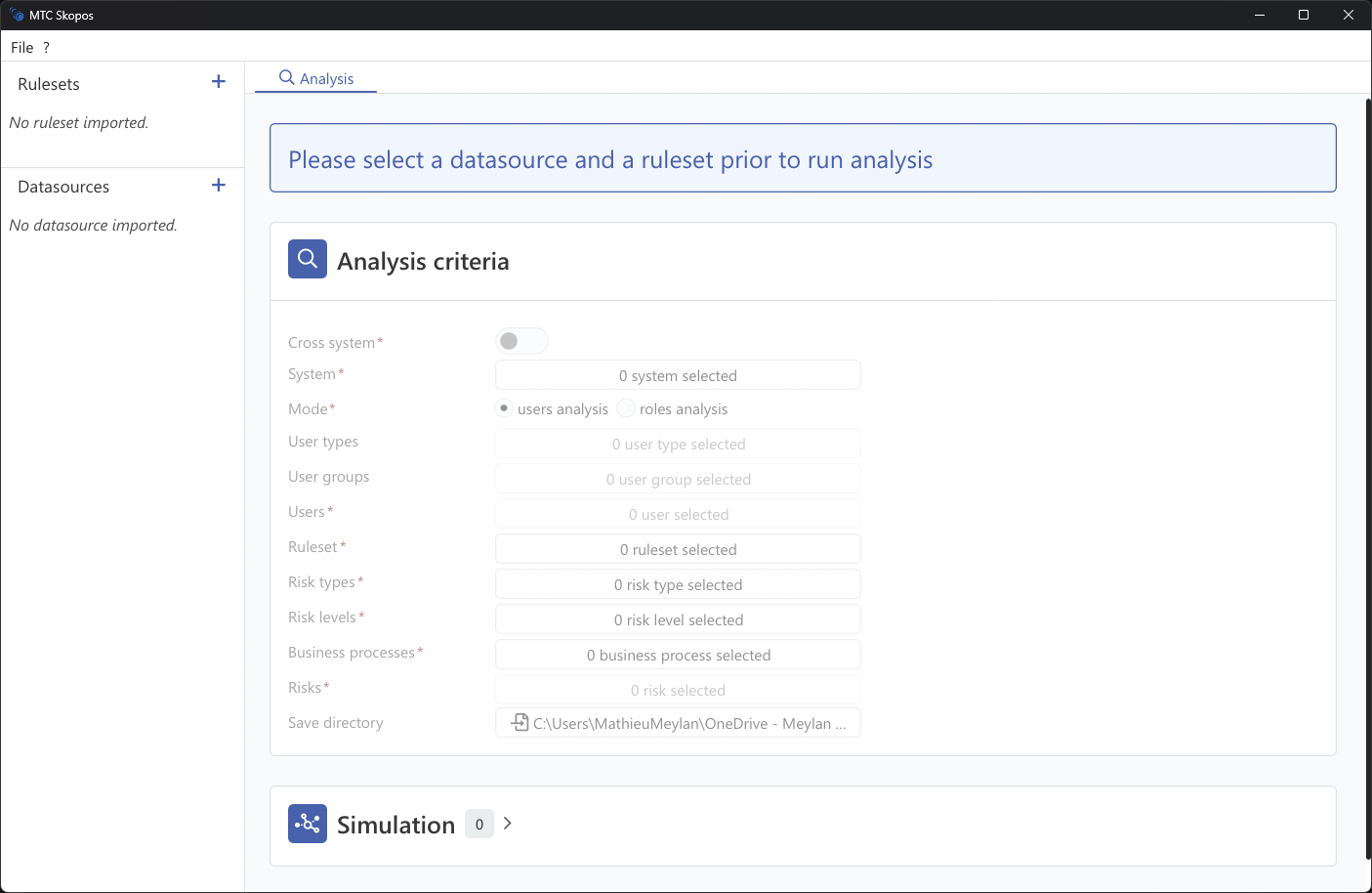
Three things are needed for any analysis
| What | Why | Where |
|---|---|---|
| A data source | The access to analyze: users, roles, authorizations | Data Sources |
| A ruleset | The definition of what counts as a risk | Rulesets |
| Analysis criteria | Which population and which risks to evaluate | Scoping Your Analysis |
MTC Skopos ships with no rulesets and no data. Both are yours: it analyzes your extracts against your risk definitions, and nothing is sent anywhere. This is the point that surprises people coming from a cloud GRC product, and it is the reason no data processing agreement is needed to evaluate the tool.
How the areas relate
Data Sources is where systems are configured and loaded. Loading reads the data into memory and computes role statistics. Nothing else works until at least one source is loaded.
Rulesets holds your risk definitions. Several can be loaded at once, and you pick one per analysis. A ruleset is a flat table loaded from an Excel workbook or a CSV.
Data browsing lets you explore users and roles before analyzing anything. Worth using early: it is how you confirm the extract is complete and find out how big the population you are about to analyze really is.
Analysis is where you set criteria and run. Users mode asks who has a conflict today; roles mode asks which role designs contain one.
Remediation works on an analysis result and proposes concrete changes.
Simulation tests a change before you make it, and is set inside the analysis criteria rather than being a separate area.
Import Result reopens a past analysis from its files, without needing the data source.
Settings covers rulesets loaded at startup, the AI Assistant, and log signing keys.
Where things are stored
Configuration lives beside the executable, so the folder is self-contained and portable. Analysis output goes to the save directory you set in the analysis criteria: reports plus a signed .log execution log. Keep the log with the reports, since it is what makes them audit evidence.
Ready to run one
Your First Analysis walks through a complete run end to end, from an empty application to a reviewed result.