
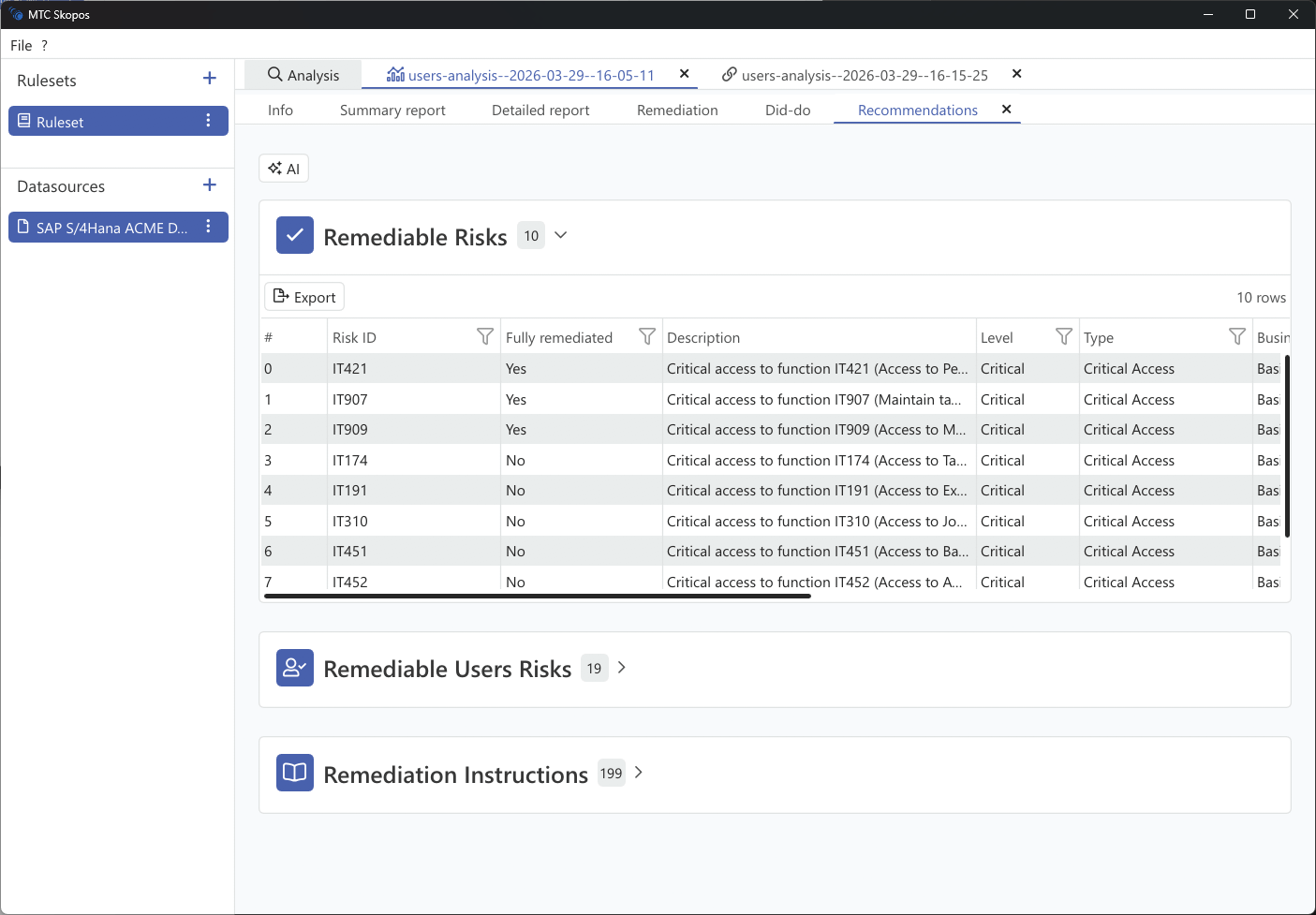
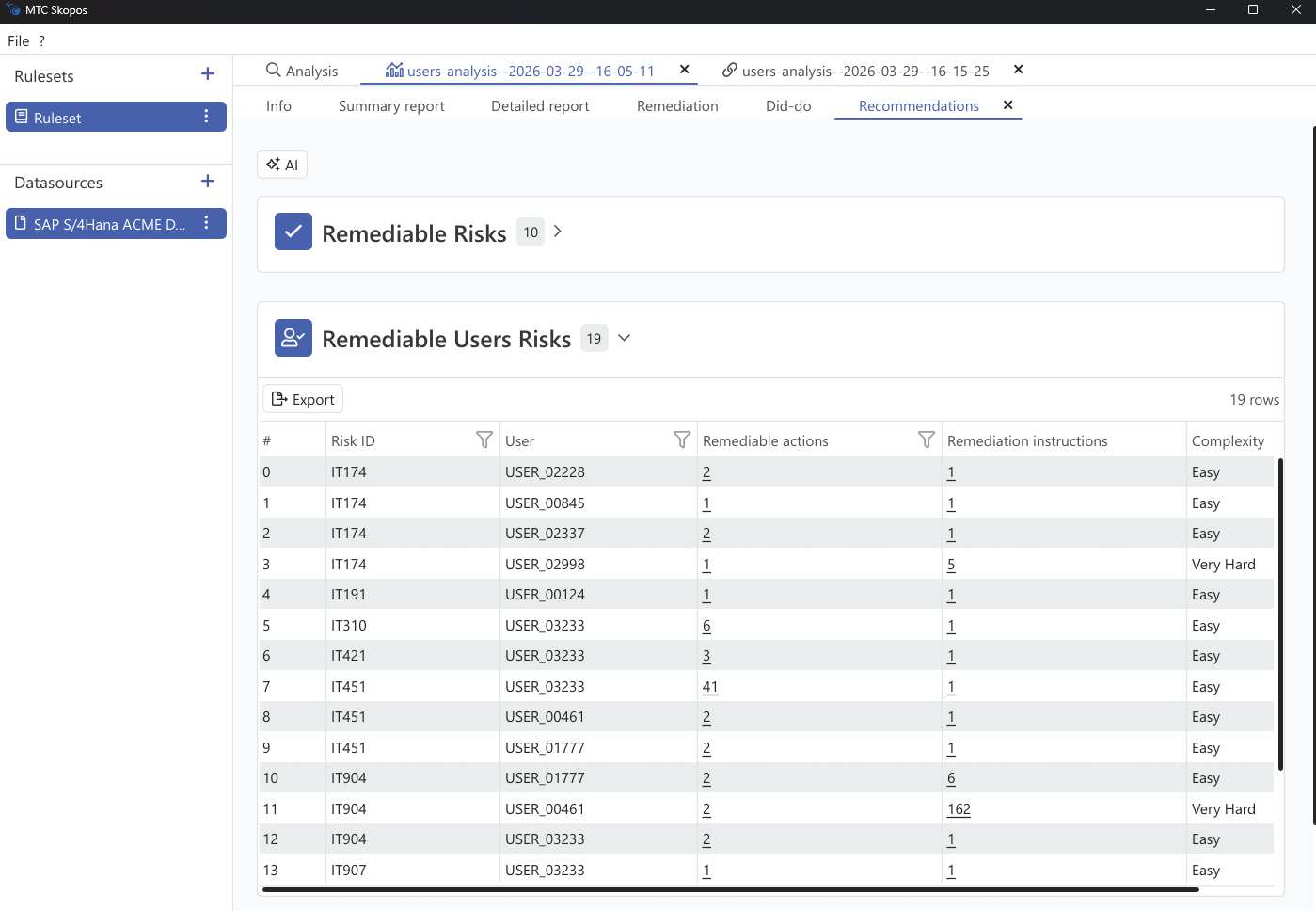
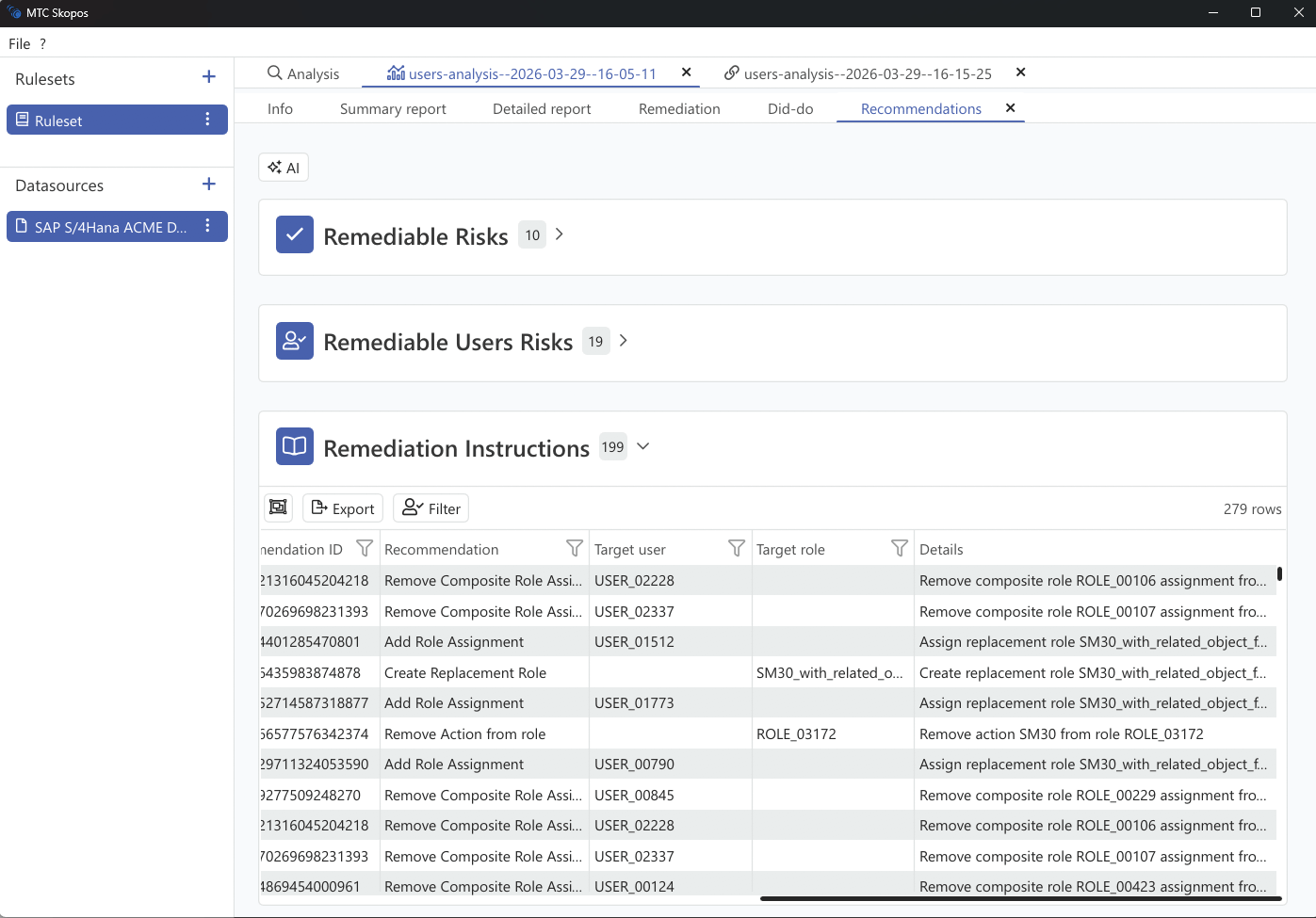
Each row of the remediation report is a proposed change with the evidence behind it. Read the recommendation type first, because it tells you who is affected and therefore who has to approve it.
Report columns
| Field | Description |
|---|---|
| Risk | Risk ID and description |
| Function | The ruleset function involved |
| Action | The action, meaning the permission group |
| User | Affected user |
| Execution Count | Times the user executed the action |
| Last Executed | Date of last execution |
| Single Role Assignment | Roles assigned directly to the user |
| Composite Role Assignment | Roles reaching the user through a composite |
| Recommendation | The proposed change |
| Complexity | Effort and risk of applying it |
Recommendation types
Ten distinct recommendations can appear, six on the ERP layer and four on the IAM layer.
ERP layer
| Recommendation | What it changes | Who it affects |
|---|---|---|
| Remove user role | Unassigns a single role from one user | That user only |
| Remove user composite role | Unassigns a composite role from one user | That user only |
| Add user role | Assigns a narrower existing role, usually paired with a removal | That user only |
| Remove single role from composite | Drops a single role out of a composite definition | Every holder of the composite |
| Remove role action | Removes an authorization from a role | Every holder of the role |
| Craft replacement role | Proposes a new role, the original minus the conflicting access | Only the users moved onto it |
IAM layer
These appear when IAM analysis is enabled and the access arrived through a business role. See Business Role Simulation.
| Recommendation | What it changes | Who it affects |
|---|---|---|
| Remove user business role | Unassigns a business role from one user, withdrawing every ERP role it granted, across systems | That user only |
| Remove role from business role | Drops one target ERP role from a business role definition | Every holder of the business role |
| Craft replacement business role | Proposes a new bundle, the original minus the offending child | Only the users moved onto it |
| Add user business role | Assigns the replacement bundle | That user only |
The pattern to notice is that user-level recommendations are safe to apply unilaterally, while definition-level ones change a shared object. A "remove single role from composite" needs the composite's owner to agree, and it is where a clean-up most often stalls.
Complexity rating
Every recommendation carries one of four ratings, and the report can be sorted on it:
| Rating | Typical meaning |
|---|---|
| Easy | Unassign access nobody uses. No coordination needed |
| Medium | Unassign access with a straightforward alternative already in place |
| Hard | Edit a shared role or composite, so other holders must be checked |
| Very Hard | Requires building a new role, or the access is actively used with no alternative |
Working Easy first is usually the right sequence: it clears volume, reduces the population on the remaining risks, and buys credibility for the harder changes.
Verify before you apply
The report says what should clear the risk. It does not prove that applying it introduces nothing new. Feed the proposed changes into User Simulation and check the Added column: a change that resolves one conflict while creating another is the usual reason a clean-up has to be done twice.