
Test the impact of changes before anything is touched in the source system.
Steps
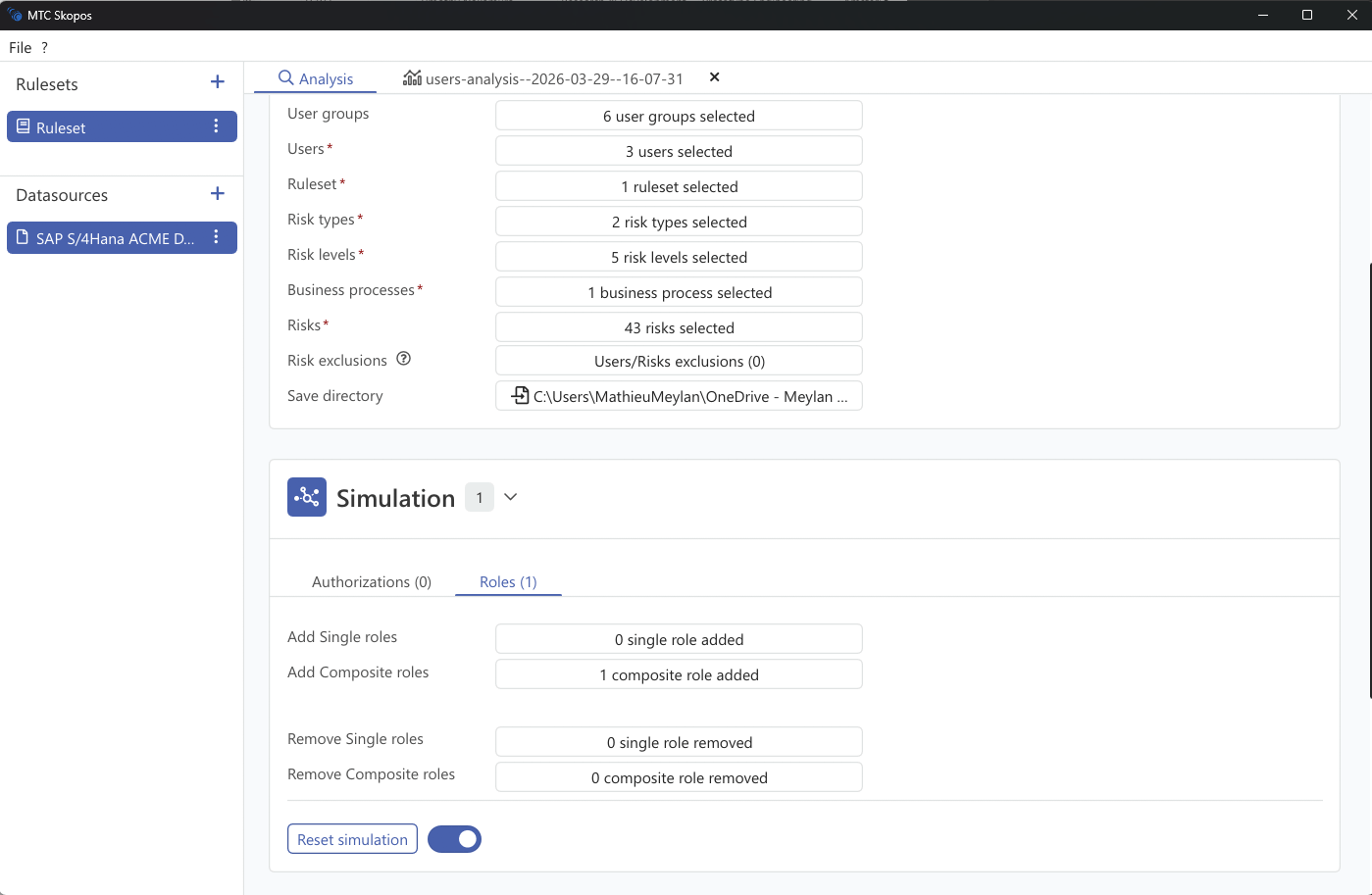
- In Analysis, select users analysis mode
- Open the Simulation panel
- Build your scenario in the tabs below
- Click Run analysis
The panel header shows how many simulation entries are active, and Reset simulation clears them all.
Simulation Tabs
In users analysis mode:
| Tab | What it simulates |
|---|---|
| Roles assignments | Add or remove single and composite roles for users |
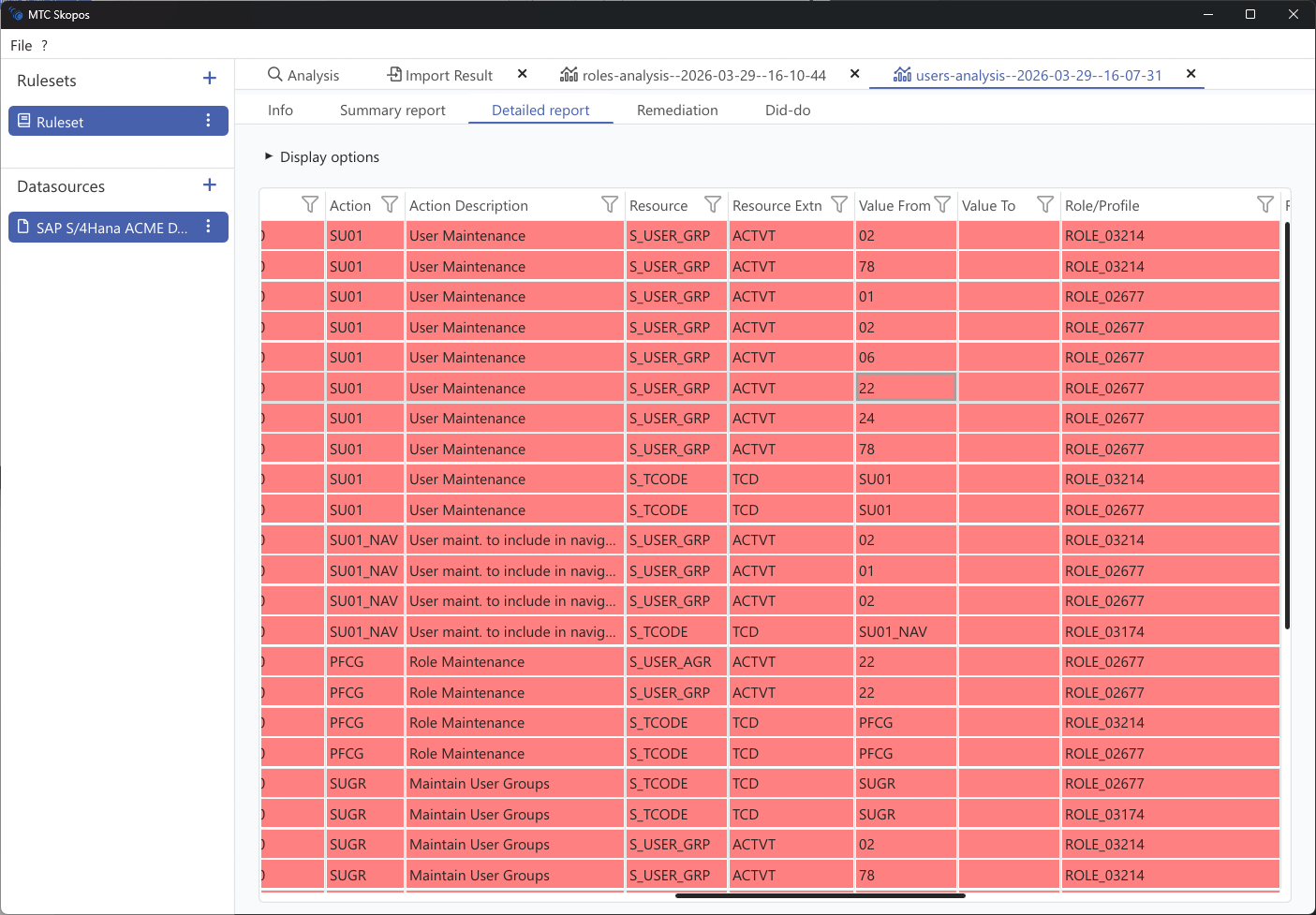
| Role authorizations | Add or remove individual authorizations inside a role, and see the effect on every user holding it |
| Composite Roles | Add or remove single roles inside a composite |
| New Roles | Roles that do not exist yet, built from scratch |
| New Users | Users that do not exist yet, with the roles you intend to give them |
Three more tabs appear when IAM analysis is enabled: Business Role assignments, Business Role composition and Craft Business Roles. See Business Role Simulation.
Scoping a Change to Specific Users
Each entry applies a change to a named set of targets rather than to everybody.
| Field | Meaning |
|---|---|
| The change | The roles to add or remove |
| Users scope | The users the change applies to |
An entry only simulates something when both are filled in. There is no "leave it empty to apply everywhere" behaviour, which is deliberate: a blank target would silently simulate a landscape-wide change. Incomplete entries are flagged in the form and skipped.
If the analysis criteria change so that a targeted user falls out of scope, the entry is shown as orphaned rather than quietly reverting to an unfilled one.
Reading the Result
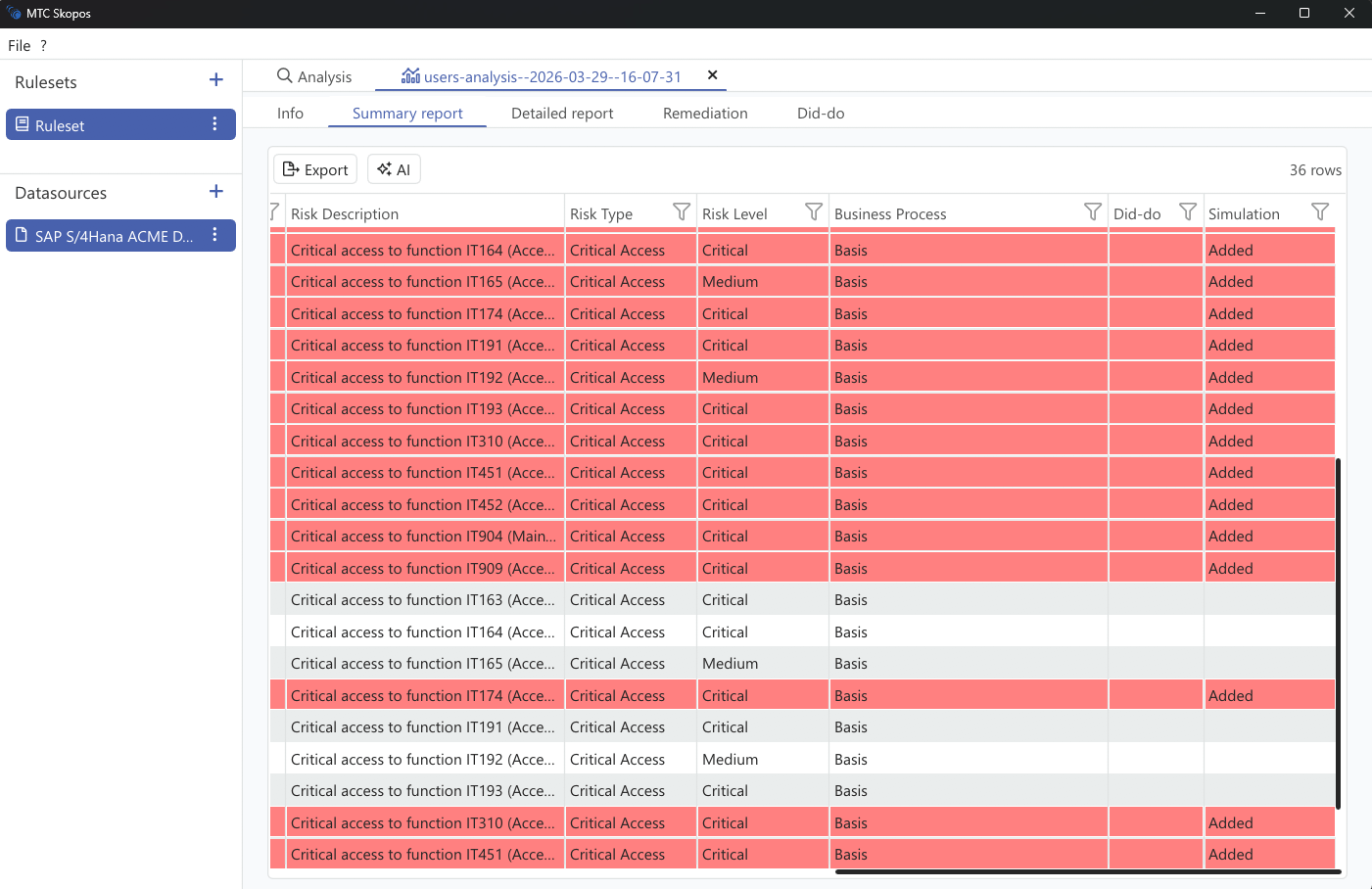
Results are classified against the unsimulated state:
| Classification | Meaning |
|---|---|
| Added | Risks the change would create |
| Removed | Risks the change would eliminate |
| Unchanged | Existing risks the change does not affect |
Added is the column that matters most in practice. It is what stops a remediation from resolving one conflict while opening another, which is the usual reason a clean-up has to be done twice.