
The remediation engine analyzes your risks and generates recommendations for resolving them.
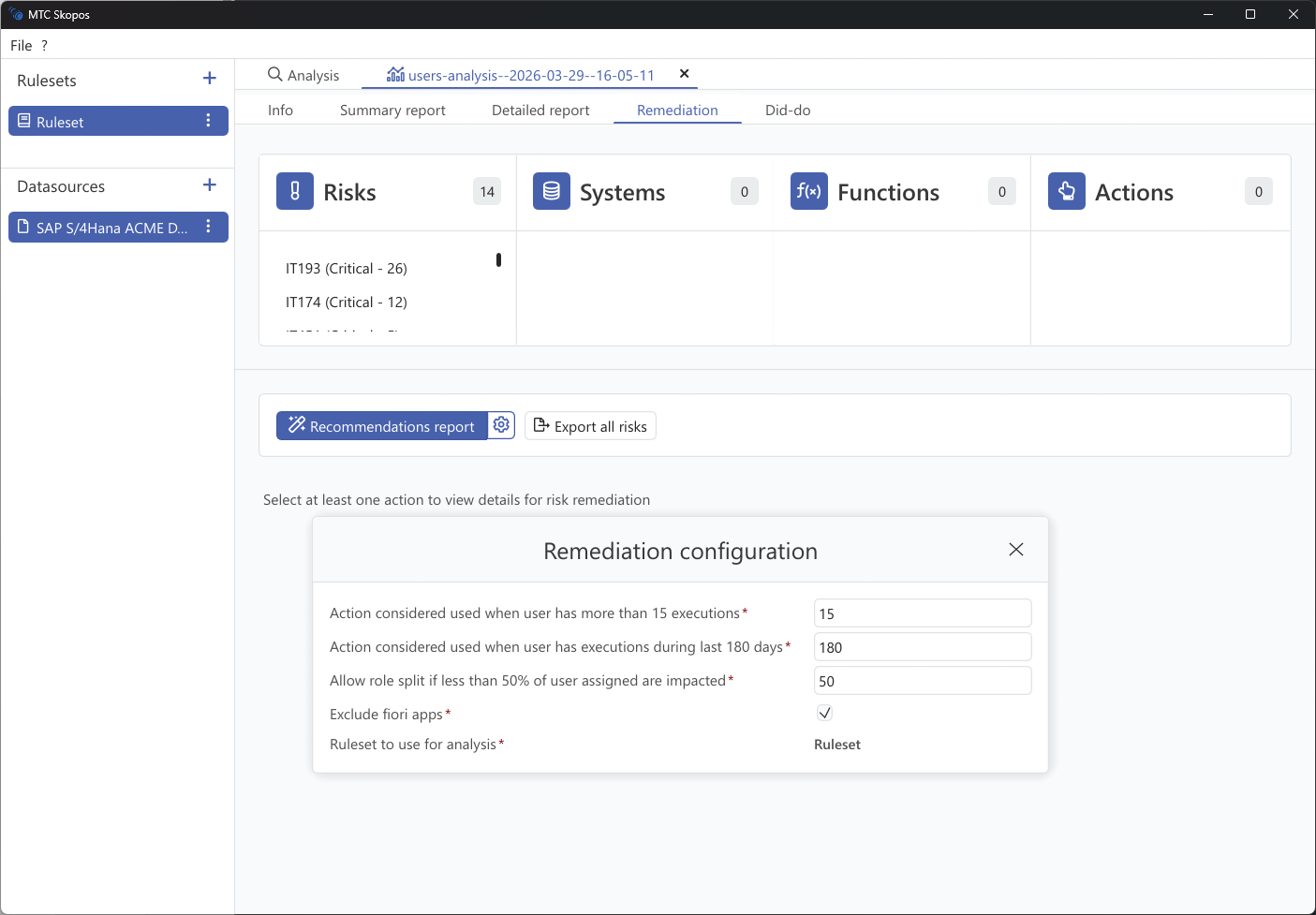
Steps
- Run a user analysis first
- Go to Remediation
- Click the gear icon next to "Recommendations report" to open the remediation configuration
- Adjust the parameters (see below)
- Select at least one risk, system, function, or action to scope the remediation
- Click Recommendations report to generate
Remediation Configuration
The configuration dialog controls how the engine determines whether access is actively used and how aggressively it can restructure roles.
| Setting | Default | Description |
|---|---|---|
| Execution count threshold | 15 | An action is considered "used" if the user has executed it more than this many times. Actions below this threshold are treated as unused and recommended for removal. |
| Execution recency (days) | 180 | An action is considered "used" if the user has executed it within this many days. Older usage suggests the access may no longer be needed. |
| Role split threshold (%) | 50 | Allow splitting a role (removing an action from it) only if more than this percentage of assigned users are impacted. |
| Exclude Fiori apps | Enabled | When checked, Fiori app authorizations are excluded from remediation recommendations, if no usage data are available in the system we want to prevent recommending removing the app from role. |
| Ruleset to use for analysis | Ruleset | The ruleset used to evaluate which risks are resolved by each recommendation. |
Tips
- Start conservative: keep default thresholds, review the output, and adjust if too few or too many recommendations are generated.
- Lower the execution count if you want to reduce potential impact on users.
- Reduce the role split threshold if you want to avoid spliting role for a insignificant amoung of users.
Remediation Phases
The algorithm evaluates remediation options in order of impact:
- Remove user role assignments - Safest option when user has alternative access
- Remove single role from composite - Modify composite role structure
- Remove action from role - Last resort, may affect other users
Prioritization
Recommendations are prioritized based on:
- Risk severity (Critical risks prioritized)
- Usage frequency (unused access easier to remove)
- Collateral impact (changes affecting fewer users preferred)