
The AI Assistant lets you analyze risk data through natural language. Before using it, you need to configure an AI provider.
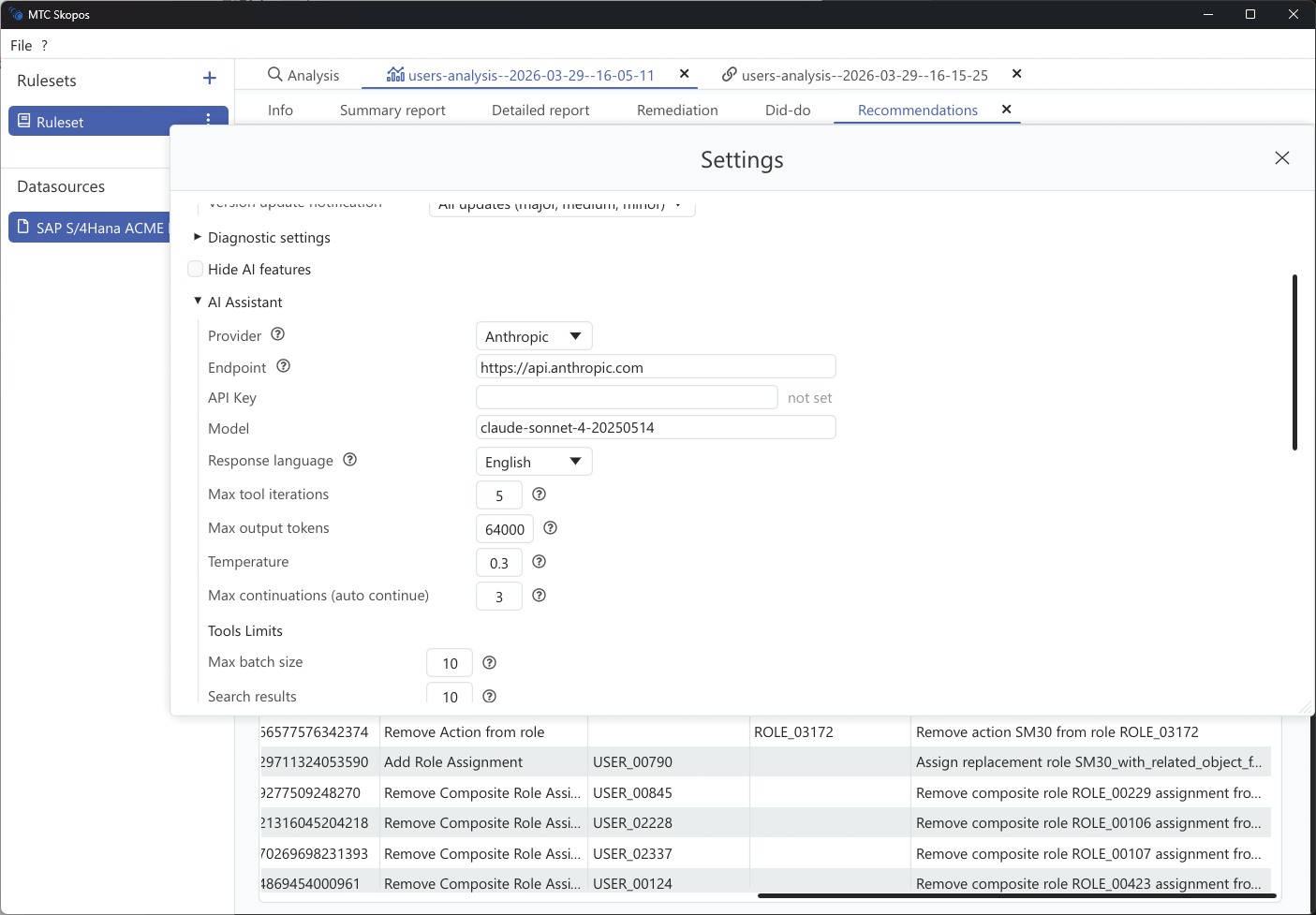
Provider setup
MTC Skopos supports three provider types:
| Provider | Models | Use Case |
|---|---|---|
| Anthropic | Claude Sonnet, Claude Opus | Recommended default |
| OpenAI Compatible | GPT-4o, GPT-5, o3, local models | OpenAI API or compatible endpoints |
| Azure OpenAI | GPT-4o (Azure-hosted) | Enterprise deployments with Azure |
Setting up
- Go to Settings > AI Assistant
- Select your Provider Type
- Enter your API Key
- Choose a Model (defaults to Claude Sonnet for Anthropic)
- Optionally set a custom Base URL for self-hosted or proxy endpoints
Azure OpenAI
For Azure deployments, you also need to configure:
- Base URL: Your Azure OpenAI endpoint
- API Version: Defaults to
2024-10-21 - Auth Header: Defaults to
api-key
Model settings
| Setting | Default | Description |
|---|---|---|
| Temperature | 0.3 | Controls response creativity (0.0 = deterministic, 1.0 = creative) |
| Max Output Tokens | Auto-detected | Maximum length of AI responses |
| Response Language | English | Language for AI responses |
| Context Window | 200,000 | Total conversation context size |
Tool limits
You can control how much data the AI retrieves per query:
| Setting | Default | Max |
|---|---|---|
| Batch size | 10 | 25 |
| Search results | 10 | 100 |
| Entities per risk | 20 | 100 |
| Overview top N | 10 | 100 |
Lower values produce faster, cheaper responses. Increase them when you need more comprehensive analysis.