
Import data exported from SAP as CSV/TSV files.
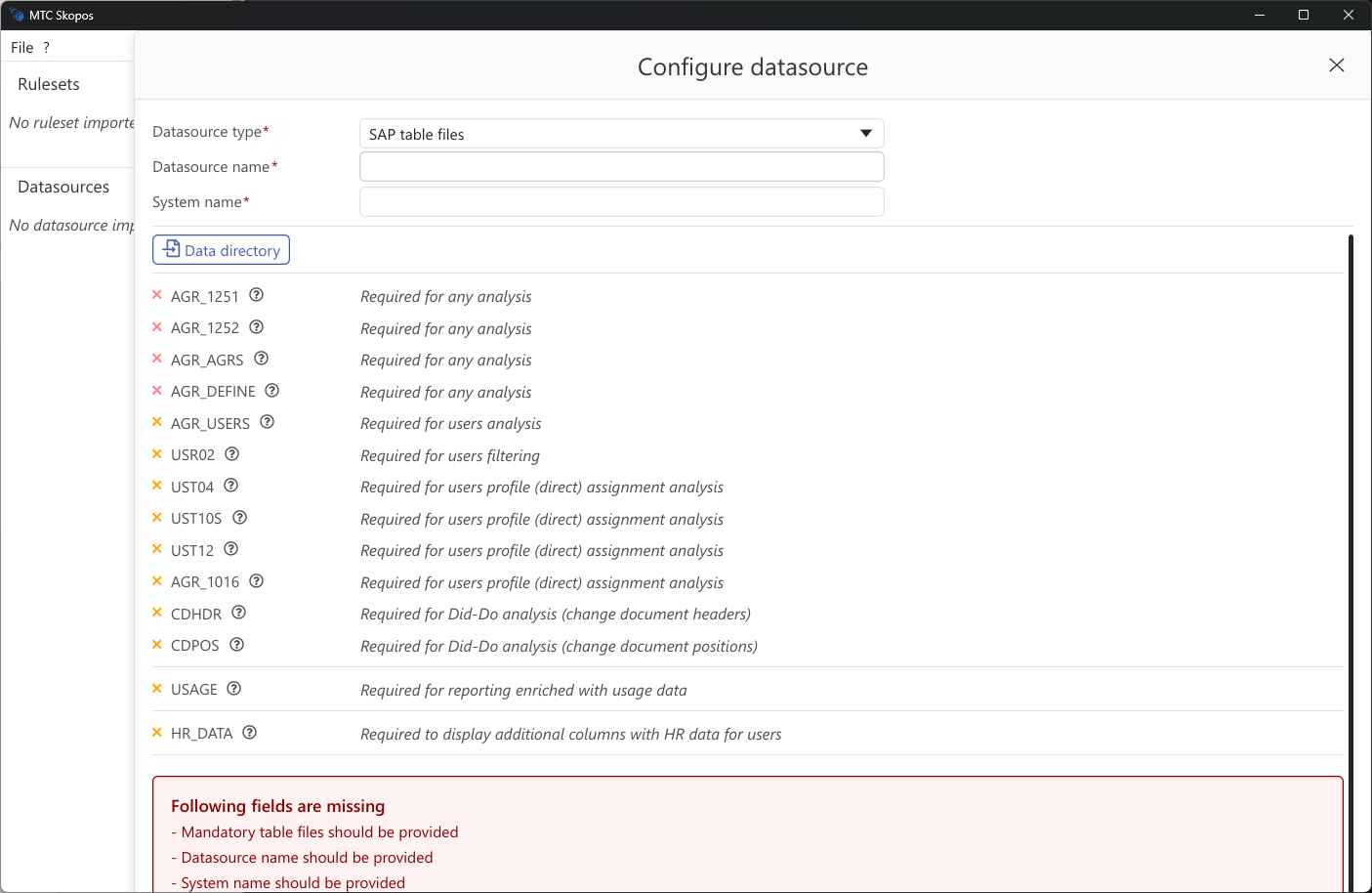
Setup
- Click Add → SAP Files
- Select folder containing the exported files
- MTC Skopos auto-detects the following tables:
| Table | Purpose | Required |
|---|---|---|
| AGR_USERS | User-role assignments | Yes |
| AGR_1251 | Role authorizations | Yes |
| AGR_1252 | Organization levels | Yes |
| AGR_AGRS | Composite role structure | Yes |
| AGR_DEFINE | Role definitions | Yes |
| AGR_1016 | Role transactions | Optional |
| USR02 | User master records | Yes |
| UST04 | Profile assignments | Optional |
| UST12 | Authorization profiles | Optional |
| UST10S | User profiles | Optional |
| usage | Transaction usage data | Optional |
- Click Save
File Format Requirements
- CSV or TSV with header row (SAP technical field names)
- UTF-8
- Auto detected delimiter (comma, semicolon, or tab)