
Connect directly to a live SAP system via RFC (Remote Function Call).
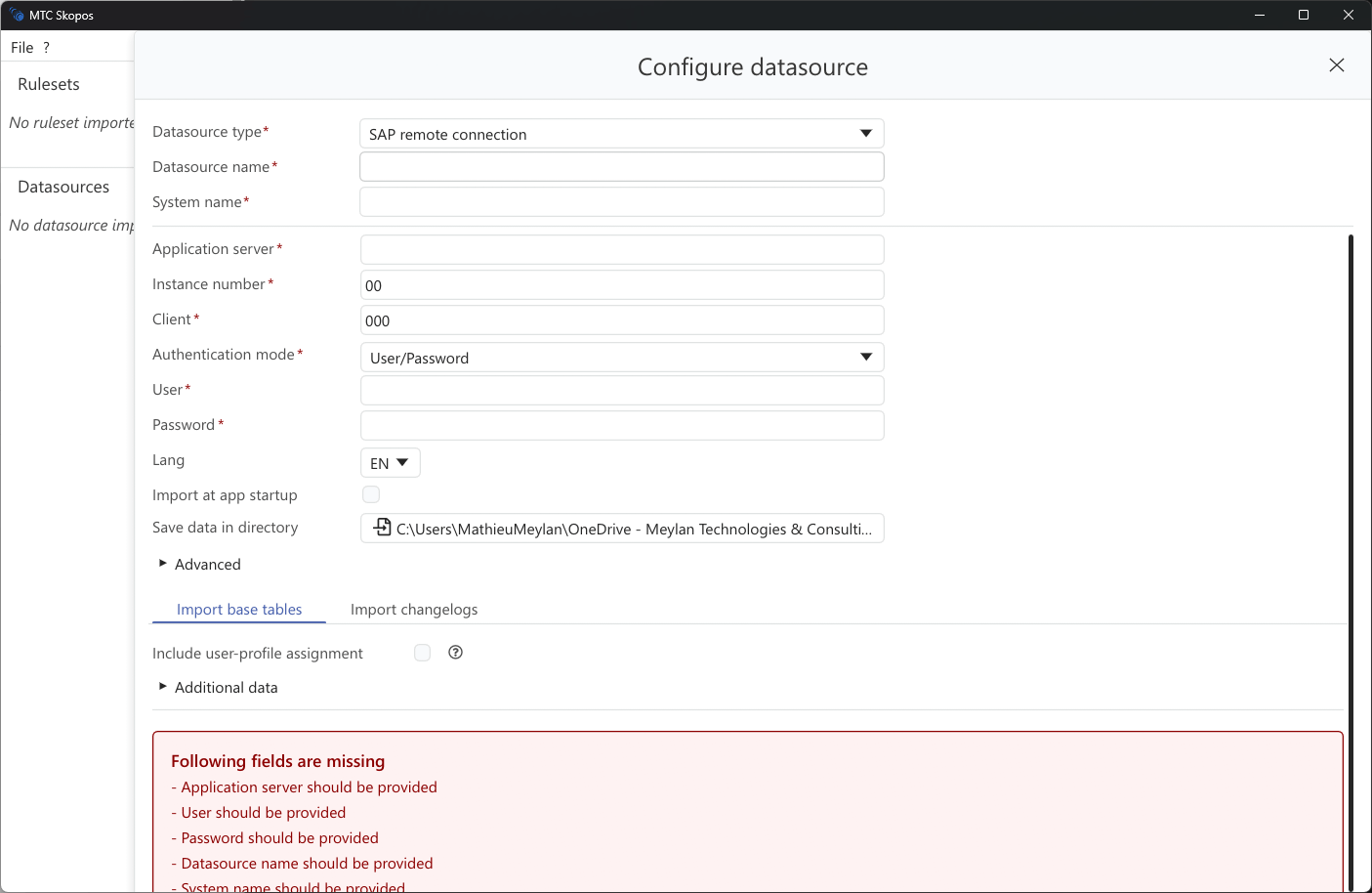
Setup
- Click Add → SAP Remote
- Enter connection parameters:
| Field | Description |
|---|---|
| Name | Display name for this connection |
| Host | SAP application server address |
| System Number | System number (00-99) |
| Client | Client number |
| Language | EN, DE, FR, etc. |
-
Select authentication mode:
- User/Password: Standard RFC authentication
- SNC: Secure Network Communications with user/password
- SNC + X.509 Certificate: SNC with certificate-based SSO
-
For SNC modes, configure:
- SNC Library Path
- SNC Quality of Protection
- SNC Partner Name
-
Click Save
Required SAP Authorizations
- Read access to
USR*tables (user master data) - Read access to
AGR_*tables (role data) - Execute access to RFC-enabled function modules
- Optional: Usage statistics tables