
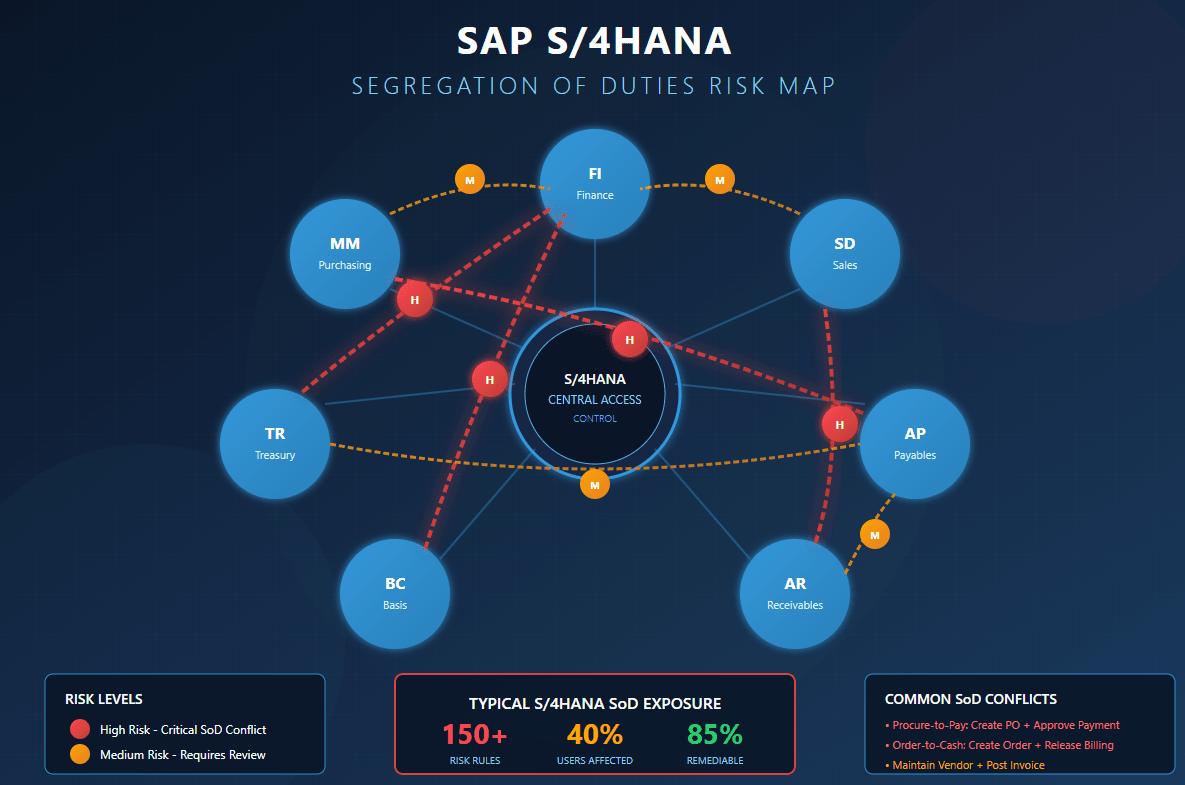
Building an Effective SoD Ruleset for S/4HANA
SoD ruleset for S/4HANA — A segregation of duties ruleset for S/4HANA must cover Fiori apps, OData services, the centralized Business Partner model, and new authorization objects that did not exist in ECC. Simply migrating your old ECC SoD matrix will miss critical risks and produce false positives against the redesigned authorization architecture.
If you're migrating to S/4HANA and planning to copy-paste your existing SoD ruleset, stop right there. The authorization landscape has fundamentally changed, and your carefully crafted ECC matrix will miss critical risks while flagging conflicts that no longer exist.
This guide walks you through building an SoD ruleset that actually works in S/4HANA - one that covers the new technical layers, addresses emerging business risks, and avoids the false positive nightmare that plagues many migrations.
Why Your ECC SoD Matrix Falls Short
S/4HANA isn't just SAP with a new interface. The authorization architecture has been redesigned from the ground up, creating challenges at both the business and technical levels.
The Business Layer Has Changed
S/4HANA introduces capabilities that simply didn't exist in ECC:
- Flexible approval workflows that users can configure from their browser
- Centralized Business Partner model replacing separate vendor and customer masters
- Extended budget controls with real-time commitment checks
- Embedded analytics giving users access to data previously locked in reports
These new capabilities mean users can now do things that were impossible before - and your old ruleset doesn't account for any of them.
Example: In ECC, workflow configuration required basis access and custom development. In S/4HANA, a user with the right Fiori app can modify approval thresholds and routing rules directly. If your ruleset doesn't flag "Workflow Configuration" + "Transaction Execution" as a conflict, you have a gap.
The Technical Layer Has Changed
Here's where most organizations struggle. In ECC, access control was relatively straightforward: check if the user has the transaction code and relevant authorization objects. Done.
In S/4HANA, a single business action might involve:
- Fiori Launchpad access (Spaces and Pages)
- Fiori app authorization (catalog assignment)
- OData service permissions (S_SERVICE authorization object)
- Backend authorization objects (the classic checks)
- CDS view restrictions (for analytical apps)
Missing authorization at any layer blocks the action entirely. But here's the problem: your SoD analysis needs to consider all these layers to accurately identify conflicts.
The Multi-Layer Authorization Challenge
Let's make this concrete with an example.
Scenario: You want to check if a user can create purchase orders.
In ECC:
Transaction: ME21N
Auth Objects: M_BEST_BSA, M_BEST_EKO, M_BEST_EKG, M_BEST_WRK
In S/4HANA with Fiori:
Fiori App: Manage Purchase Orders (F0842A)
OData Service: MM_PUR_PO_MAINT_V2_SRV
Backend Auth: S_SERVICE (for OData), plus classic auth objects
Catalog: SAP_MM_BC_PO_PROCESS_PC
Space/Page: Procurement workspace
If your SoD matrix only covers the transaction code, you'll miss users who have Fiori-only access. If it only covers the Fiori app, you'll miss users who still access via SAP GUI.
What This Means for Your Ruleset
Your SoD functions need to include both classic transactions AND their Fiori equivalents. And those Fiori apps need to map to their underlying OData services.
A modern S/4HANA function definition looks like this:
| Function: Purchase Order Creation |
|---|
| Classic Access |
| - Transaction: ME21N |
| - Transaction: ME22N |
| Fiori Access |
| - App: Manage Purchase Orders (F0842A) |
| - App: Create Purchase Order - Advanced (F1943) |
| OData Services |
| - MM_PUR_PO_MAINT_V2_SRV |
| - MM_PUR_PO_ADV_CREATE_SRV |
| Authorization Objects |
| - M_BEST_BSA, M_BEST_EKO, M_BEST_EKG |
| - S_SERVICE (SRV_NAME, SRV_TYPE) |
New Risk Categories to Consider
S/4HANA introduces risk categories that didn't exist in ECC. Your ruleset needs to account for these.
1. Workflow Configuration Risks
Users who can configure approval workflows AND execute the transactions those workflows govern can effectively approve their own work. This is a critical risk that many organizations miss.
| Risk | Function A | Function B |
|---|---|---|
| Workflow Self-Approval | Configure Purchase Approval Workflow | Create Purchase Orders |
| Workflow Bypass | Modify Approval Thresholds | Process Payments |
| Workflow Master Data | Maintain Workflow Agents | Execute Controlled Transactions |
2. Master Data Ownership Risks
S/4HANA's unified Business Partner model creates new conflict patterns:
| Risk | Function A | Function B |
|---|---|---|
| BP + Payments | Business Partner Maintenance | Payment Execution |
| BP + Sales Orders | Business Partner Maintenance | Sales Order Processing |
| BP + Credit Decisions | Business Partner Maintenance | Credit Management |
3. Configuration vs. Execution Risks
More configuration happens through Fiori apps than ever before:
| Risk | Function A | Function B |
|---|---|---|
| Pricing Config | Maintain Pricing Conditions | Create Sales Orders |
| Tax Config | Maintain Tax Codes | Post Financial Documents |
| Output Config | Configure Output Management | Process Transactions |
4. Cross-Module Integration Risks
S/4HANA's tighter integration creates risks spanning module boundaries. For finance-specific authorization controls like restricting sensitive G/L accounts, see our guide on G/L account authorization with F_BKPF_BES and F_BKPF_BLA.
| Risk | Function A | Function B |
|---|---|---|
| FI-MM Integration | Vendor Invoice Posting | Goods Receipt |
| CO-FI Integration | Cost Center Settlement | Journal Entry Posting |
| SD-FI Integration | Billing Document Creation | Revenue Recognition |
Building Your S/4HANA Ruleset: Step by Step
Step 1: Audit Your Current Matrix
Before building anything new, understand what you have:
- How many risks does your current matrix contain?
- What technical objects are defined (just T-codes, or auth objects too)?
- When was it last updated? Many organizations are running matrices defined 10+ years ago
- What's missing? Run your matrix against a test system - how many known risks does it catch?
Step 2: Identify Your Fiori Footprint
Document every Fiori app deployed in your environment:
- Extract your Fiori catalog assignments
- Map apps to their underlying OData services
- Identify apps that replace classic transactions
- Flag apps with no ECC equivalent (new risks)
Pro tip: SAP provides roughly 200 Fiori apps in their standard SoD content. A comprehensive enterprise deployment typically uses twice that number. Make sure your ruleset covers your actual usage, not just the standard.
Step 3: Expand Function Definitions
For each function in your matrix, add the S/4HANA technical objects:
Before (ECC-style):
Function: Vendor Master Maintenance
- XK01, XK02, FK01, FK02
- F_LFA1_BUK, F_LFA1_AEN
After (S/4HANA-ready):
Function: Vendor Master Maintenance
Classic:
- XK01, XK02, FK01, FK02
- F_LFA1_BUK, F_LFA1_AEN

Fiori Apps:
- Manage Business Partner (F1594)
- Supplier Factsheet (F2723)

OData Services:
- API_BUSINESS_PARTNER
- FAC_SUPPLIER_FACTSHEET_SRV

Additional Auth:
- S_SERVICE
- BOBF authorization objects
Step 4: Add New Risk Categories
Review the risk categories above and add relevant rules for:
- Workflow configuration conflicts
- Business Partner risks
- Configuration vs. execution patterns
- Cross-module integration risks
Don't go overboard - focus on risks that match your actual business processes. A manufacturing company needs different rules than a financial services firm.
Step 5: Address False Positives
Here's a challenge unique to S/4HANA migrations: your analysis might flag risks that can't actually be exploited.
Common false positive scenarios:
| Scenario | Why It's a False Positive |
|---|---|
| User has T-code but no Fiori access | Can't execute if Fiori is the only interface |
| User has Fiori app but missing OData service | Transaction will fail at runtime |
| User has auth objects but no catalog assignment | Can't launch the app |
MTC Skopos handles this by analyzing executable access - checking that users have all required layers, not just individual components. This dramatically reduces noise in your analysis results.
Step 6: Establish Ongoing Governance
Your ruleset isn't a one-time deliverable. It's a living document that needs regular updates:
Quarterly reviews:
- New Fiori apps deployed
- Changed business processes
- Organizational restructuring
Trigger-based updates:
- S/4HANA upgrade or feature pack
- New module implementation
- Custom development deployment
- Audit findings
Annual comprehensive review:
- Full matrix walkthrough with business owners
- Regulatory requirement alignment
- Risk rating recalibration
- Industry benchmark comparison
Common Pitfalls to Avoid
1. Copy-Paste from ECC
Your ECC matrix was built for a different architecture. Treating it as a foundation rather than a starting point leads to incomplete coverage and false confidence.
2. Ignoring OData Services
Many organizations add Fiori apps to their matrix but forget about OData services. Since S_SERVICE authorization is often granted broadly, this creates blind spots.
3. Over-Engineering
Not every theoretical risk needs a rule. Focus on conflicts that:
- Represent material business risk
- Align with your regulatory requirements
- Match your actual business processes
A 500-rule matrix that's accurate beats a 2,000-rule matrix full of noise.
4. Set and Forget
S/4HANA evolves rapidly. SAP releases new apps quarterly. Your business processes change. A static ruleset becomes obsolete fast.
Automating Your S/4HANA SoD Analysis
Manual ruleset maintenance and conflict detection doesn't scale. Modern organizations need tooling that:
- Imports existing rulesets and helps expand them for S/4HANA
- Understands Fiori architecture including apps, catalogs, and OData services
- Analyzes executable access across all authorization layers
- Reduces false positives by validating complete access paths
- Supports simulation to test ruleset changes before deployment
MTC Skopos for S/4HANA
MTC Skopos was built with S/4HANA's complexity in mind:
- Comprehensive Fiori coverage - import your apps, map to services, analyze holistically
- Multi-layer analysis - checks transaction codes, Fiori apps, OData services, and auth objects
- Executable access focus - flags only conflicts users can actually exploit
- Simulation engine - test ruleset changes against your real user population
- Flexible rule definitions - define functions using any combination of technical objects
Ready to Modernize Your Ruleset?
Import your existing matrix, expand it for S/4HANA, and run your first analysis - all without complex setup or consulting engagements.
Ruleset Maintenance Checklist
Use this checklist when reviewing your S/4HANA ruleset:
Technical Coverage
- All deployed Fiori apps mapped to functions
- OData services included in function definitions
- S_SERVICE authorization object considered
- CDS view restrictions documented (if applicable)
- Custom apps and services included
Business Coverage
- Workflow configuration risks defined
- Business Partner conflicts addressed
- Cross-module integration risks covered
- Configuration vs. execution patterns included
- Industry-specific risks documented
Quality Assurance
- False positive rate acceptable (<10%)
- Risk ratings aligned with business impact
- Business owner sign-off obtained
- Regulatory requirements mapped
- Exception process documented
Governance
- Quarterly review scheduled
- Change trigger process defined
- Version control established
- Audit trail maintained
Conclusion
Building an effective SoD ruleset for S/4HANA requires rethinking your approach from the ground up. The days of transaction-code-only matrices are over. Modern rulesets must span multiple authorization layers, address new risk categories, and evolve continuously.
The investment is worth it. A well-designed ruleset becomes your strongest defense against access risks - catching conflicts before they become audit findings, and enabling business agility without compromising control.
Start with your current matrix, expand systematically for S/4HANA's architecture, and establish governance to keep it current. With the right approach and tooling, you can build a ruleset that protects your organization while supporting - not hindering - your S/4HANA transformation.
Related Articles
- SAP SoD Matrix Template: Free Download & Complete Guide
- SoD Conflicts in SAP: 177+ Risks & Detection Guide - Complete conflict reference with transaction codes and authorization objects
- How to Restrict G/L Account Access in SAP S/4HANA - Account-level authorization controls with F_BKPF_BES and F_BKPF_BLA
- What is Segregation of Duties? Complete Guide
- SAP FUE Optimization: Reduce License Costs - How authorization analysis also reduces RISE with SAP licensing costs
- AI-Powered SoD Remediation
- Best SAP SoD Tools & Software Compared - Compare the leading SoD analysis solutions
- Why Another GRC Tool? The Case for Lightweight Access Risk Analysis