
The Roles tab is where you answer questions about role design rather than about people. It is worth a visit before any remediation, because the population holding a role decides whether editing that role is a small change or a landscape-wide one.
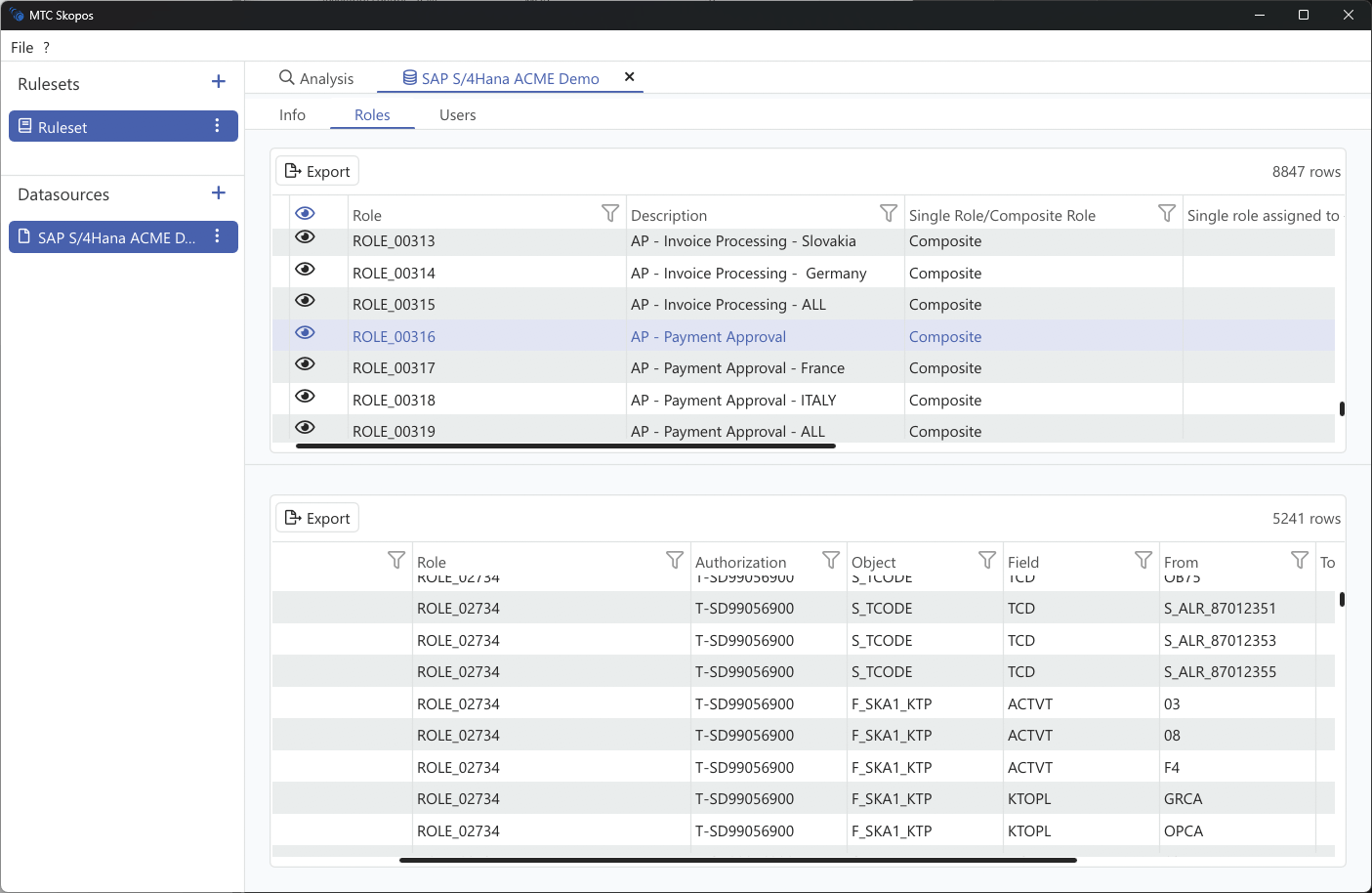
Roles tab
The list covers every single and composite role in the data source, with per-column filtering.
| Information | Description |
|---|---|
| Role name | Single or composite role identifier |
| Description | Role description from the source system |
| Type | Single or composite |
| Users assigned | How many users hold it, directly and through composites |
| Actions | How many actions it grants |
| Usage | Aggregated execution count across its actions, when usage data is loaded |
Role detail
Selecting a role shows what it actually contains:
| Information | Description |
|---|---|
| Authorizations | Permission objects, fields, and value ranges |
| Actions | Actions the role grants |
| Execution count | How often each action has been used, across all holders |
| Last used | Most recent execution date per action |
| Users assigned | The holders, split between direct assignment and via composite |
| Composite membership | For a single role, the composites that include it |
| Contained roles | For a composite, the single roles it bundles |
| Master and derived | Whether the role is a master, or which master it derives from |
Two of these repay attention before a change. The direct versus via composite split tells you whether unassigning the role from a user will actually remove their access, or whether a composite will keep granting it. The master and derived relationship tells you whether editing the role is really editing dozens of derived roles at once.
Data source information
With a data source selected, the Info tab reports:
- Connection type and configuration
- System name and type
- Per-table statistics: rows loaded, rows ignored, and parse errors
Row counts here are the first place to look when an analysis returns less than you expected. A table that loaded far fewer rows than the source system holds usually means a truncated export or a delimiter that split the file wrongly. See Troubleshooting.