
Browsing comes before analyzing, for two reasons. It confirms the extract actually contains what you think it does, and it tells you how large the population you are about to analyze really is.
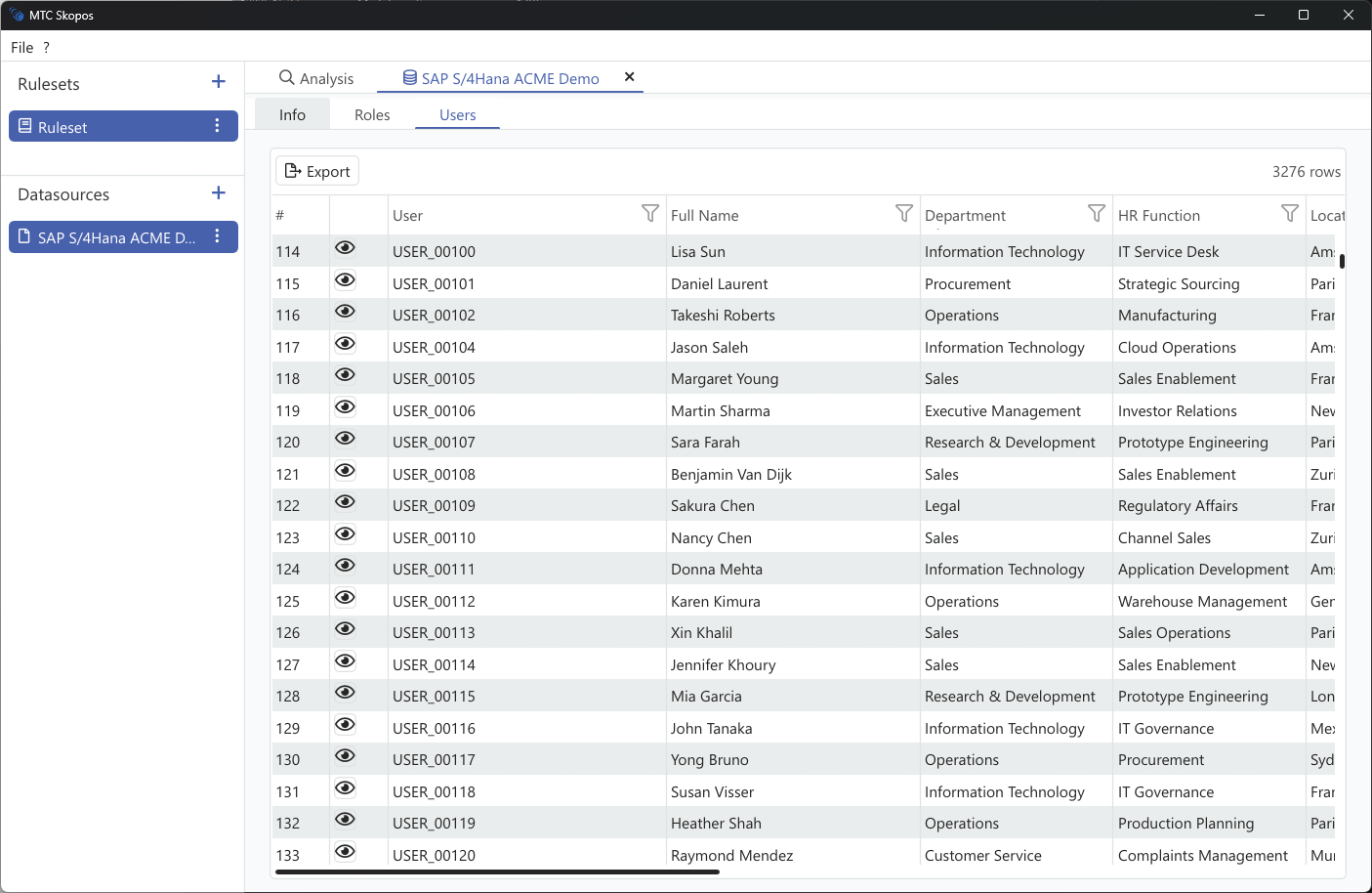
Users tab
Every user in the data source, with per-column filtering.
| Column | Notes |
|---|---|
| User ID | The account name in this system |
| Type | Dialog, System, Service, Communication |
| Group | SAP user group |
| Valid from / Valid to | Account validity window |
| Lock status | Whether the account is locked |
| Full Name, Department, HR Function, Location | Present only when an HR_DATA file is loaded |
| Additional Scope | Your own dimension, when supplied in the HR file |
The HR columns are the same dimensions available as analysis criteria, so this is where you check a population before scoping a run on it. If Department shows blank for everybody, the HR file was not recognized, and scoping by department will silently match nothing. See Supplementary Data Files and Scoping Your Analysis.
Filtering on Type is worth doing early. Technical accounts routinely dominate critical-access findings, and seeing how many you have explains a result before it surprises you.
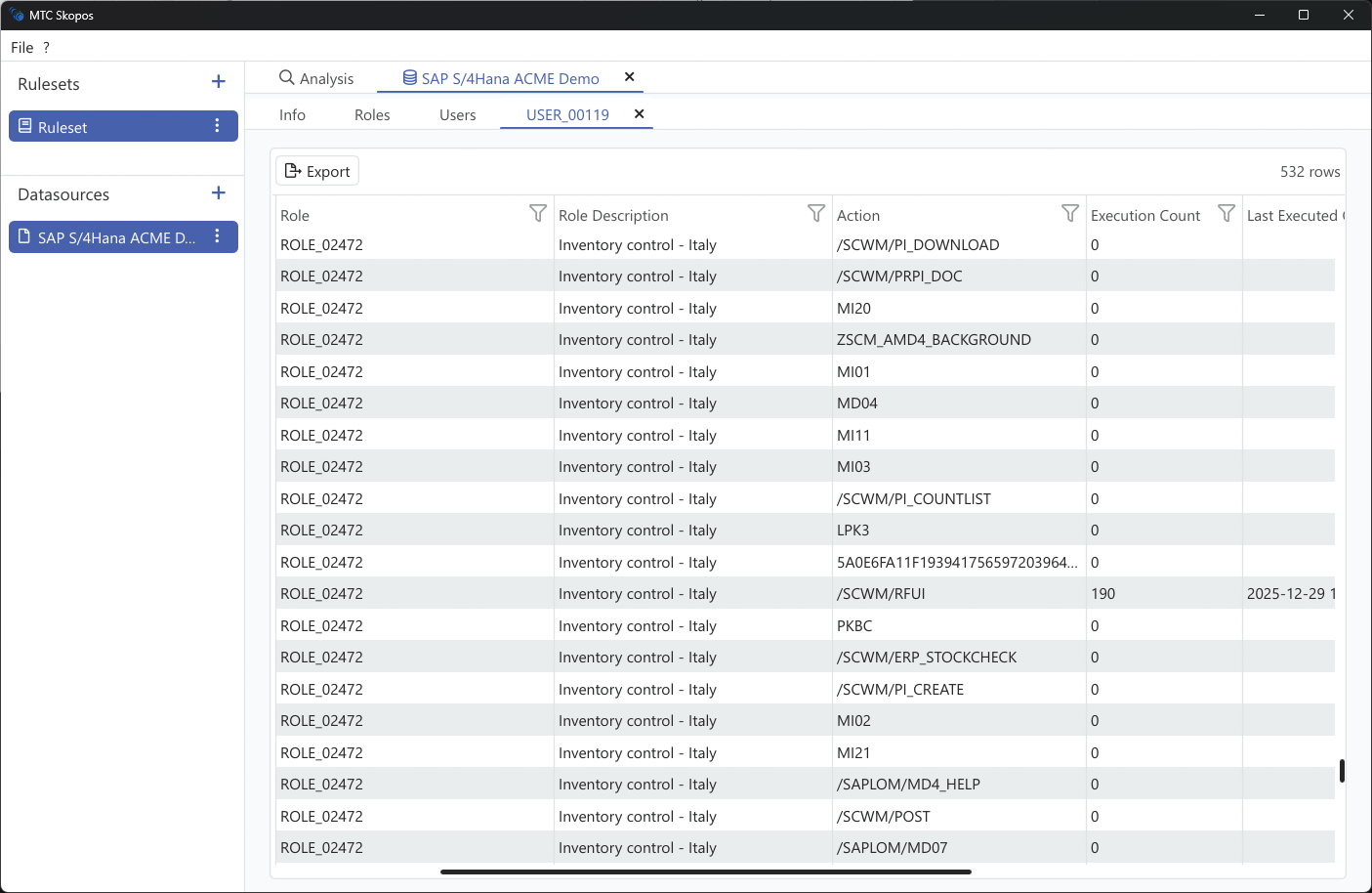
User detail
Selecting a user shows what they hold and what they have used:
| Information | Description |
|---|---|
| Composite Roles | Composite roles assigned to the user |
| Single Roles | Single roles within each composite |
| Actions | Actions available through each role |
| Execution Count | How many times this user executed each action |
| Last Used | Most recent execution date |
| Other Roles | Alternative roles that also provide the same action |
Other Roles is the column that decides remediation. If an action a user relies on is provided by three of their roles, removing one costs them nothing. If it is provided by exactly one, removing that role takes capability away. This is the same reasoning the remediation engine applies, and checking a few cases by hand here is a good way to build confidence in its recommendations. See Generating Recommendations.
Execution counts and dates require usage data. Without it these columns are empty, and both your judgement and the engine's are limited to structure alone.
Cross-system users
Where a canonical mapping is in place, one person's accounts across several systems resolve to a single canonical identity, while the browser shows each system's local account. Reports carry both as User ID and Local User ID. See Cross-System Analysis.