
The SoD Blind Spot in IAM Business Roles
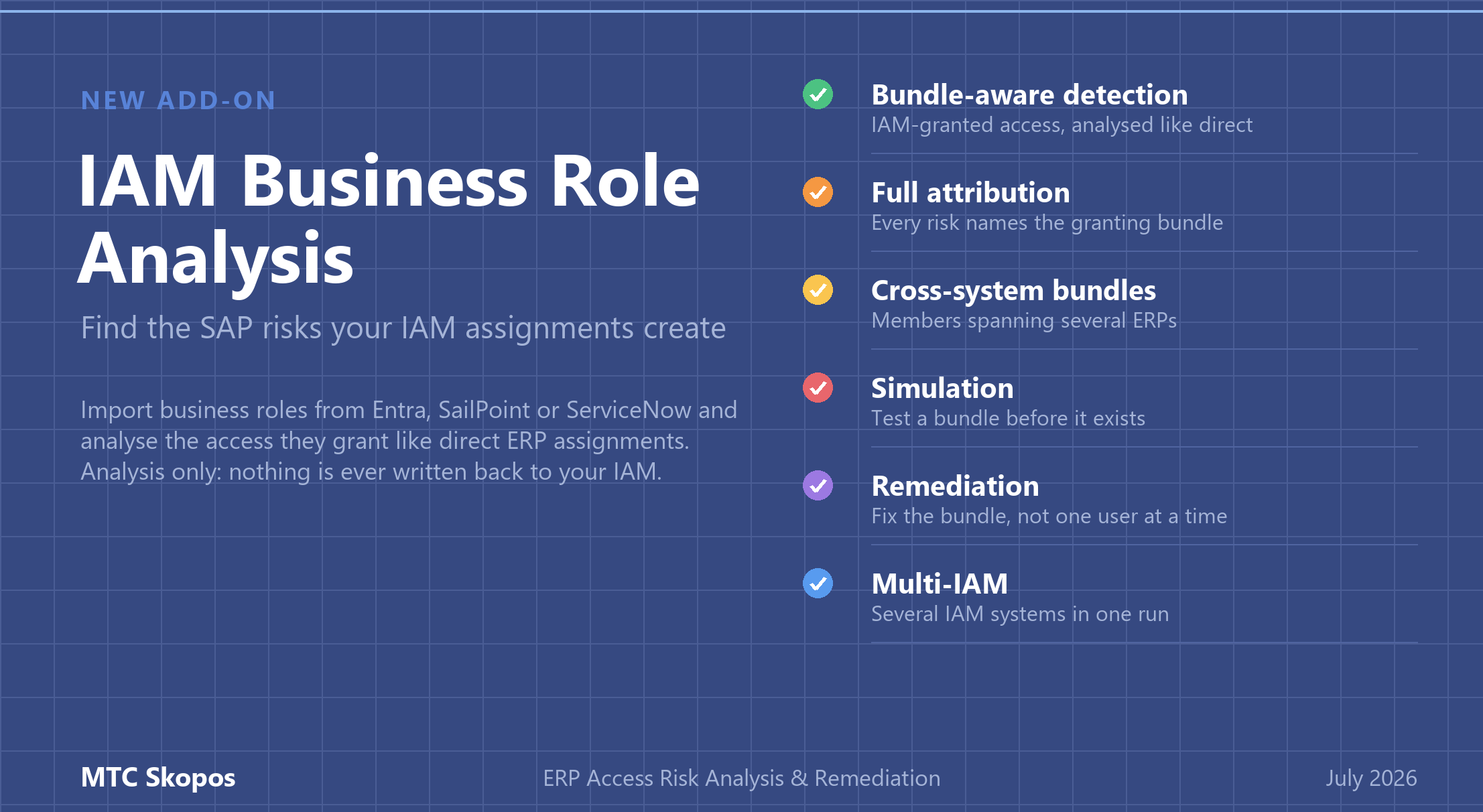
IAM business role analysis in MTC Skopos imports the business roles defined in your IAM tool (Microsoft Entra, SailPoint, ServiceNow) and analyses the ERP access they grant exactly like directly assigned roles. Every SoD or critical access risk shows which business role granted the underlying access, you can simulate bundle changes before making them, and remediation proposes business-role-aware fixes. It is a €988/year add-on to the base license (from €5,736/year), and it never triggers provisioning: analysis only.
Most organisations that run SAP at scale no longer assign roles in SU01. Access requests go through an IAM platform, an approver clicks yes on something called "Finance Operations EMEA", and the IAM provisions the underlying ERP roles into one or more systems. The workflow is auditable, the approval is documented, and the SoD conflict slips through anyway.
That is the gap this feature closes. MTC Skopos now analyses IAM business roles: the risk engine understands the bundles your IAM assigns, not just the roles your ERP holds.
What is an IAM business role?
A business role is a named bundle defined in an IAM tool such as Microsoft Entra, SailPoint, or ServiceNow. It points at ERP roles in one or more target systems and is assigned to users in the IAM rather than in the ERP. The business role carries no permissions of its own; its access is whatever its member ERP roles grant.
That indirection is exactly what makes business roles useful for provisioning, and exactly what makes them dangerous for Segregation of Duties.
Why do business roles create SoD risk?
SoD conflicts emerge from combinations of authorizations inside the ERP. An IAM approval workflow sees none of that. Three things go wrong in practice:
- The approver sees a label, not authorizations. "Finance Operations EMEA" tells you nothing about the S_TCODE values and authorization objects sitting behind it. Approving the bundle approves everything inside it.
- Toxic combinations hide inside a single bundle. Two ERP roles that are individually harmless can be toxic together. If they live in the same business role, every single assignment of that bundle creates the conflict, pre-approved.
- Cross-system combinations have no owner. A business role can grant a payment role in one system and a vendor maintenance role in another. Each system's administrator sees only their half. Nobody sees the combination, and the combination is the risk.
Traditional access risk analysis, run against ERP exports alone, does catch the resulting access (the roles do end up assigned in the ERP). What it cannot tell you is why the user has them, which bundle to fix, and what else breaks if you fix it. Analysing the risk without the business role behind it means remediating symptoms one user at a time instead of fixing the bundle once.
How does MTC Skopos analyse IAM-granted access?
You load your IAM export as its own datasource, next to your ERP datasources. The import format is two CSV/TSV files, deliberately simple so any IAM tool's export can be mapped into it. If you would rather not maintain that mapping yourself, a dedicated connector for your IAM system can be built on demand: it reads the tool's entitlement catalog and produces these two files automatically, with no change to the analysis engine.
| File | One row per | Columns |
|---|---|---|
| Composition | (business role, member) | Business Role, Description, Target System, Target Role |
| Assignment | (user, business role) | Canonical Name, Business Role, Valid From, Valid To, IAM System |
Two mapping mechanisms make this work across real landscapes:
- System aliases bridge naming differences: the IAM may call a system "SAP-PROD" while you loaded it as "SAP ECC Production". You map the names once at import.
- Canonical users link the same person across systems, using the same canonical user mapping that cross-system analysis already relies on. A business role assignment follows the person, whatever their local user ID is in each ERP.
From there, the engine resolves every business role to its member ERP roles and folds their permissions into the user's access in each target system. Risks fire on the combined access, identically whether it came from a direct assignment or through a bundle, including cross-system conflicts where the two halves of a risk arrive through different routes. This is the same authorization-level access risk analysis MTC Skopos runs on direct assignments, extended one layer up the granting chain.
Several IAM datasources can be loaded and analysed together, so a landscape with more than one identity platform (a common state mid-migration) is handled in one run.
Which business role granted this risk?
Detection without attribution would not help much, so every risk produced through a business role is labelled with the bundle that granted the access. A dedicated Business Role column appears in the on-screen result tables and in the exported CSV reports, kept separate from the existing Composite/Business Role column so a native ERP composite and an IAM bundle are never confused.
A business role browser complements the reports: it lists the imported bundles, the ERP roles each one contains, and the users each one is assigned to, alongside the existing role and user browsers.
You can also flip the question around and analyse a business role on its own, without any user in scope: is this bundle toxic by construction? That turns SoD checking into a design-time gate for the role catalog, not just a post-assignment audit.
Can you test a change before touching the IAM?
Yes, and this is where the feature pays for itself. Business role simulations run entirely inside MTC Skopos, without editing any data:
- Assignment simulation: assign or remove a business role for the analysed users and see the resulting risk exposure.
- Composition simulation: add or remove an ERP role inside a bundle and see the impact on every holder.
- New bundle simulation: analyse a business role that does not exist yet, from its planned members alone, before it ever enters the IAM catalog.
The approval question changes from "does this bundle name sound reasonable?" to "here is the simulated risk delta of this assignment". That is a question an approver can actually answer.
How does remediation handle business roles?
Remediation recommendations understand the granting chain, so they operate at the level where the fix is cheapest:
| Recommendation | Effect |
|---|---|
| Remove business role from user | Un-assigns the bundle, dropping every ERP role it granted, across all systems, in one action |
| Remove role from business role | Fixes the bundle definition itself, for every holder at once |
| Craft a replacement business role | Creates a variant without the offending member and moves affected users onto it, leaving other holders untouched |
The third option matters most in practice. Removing a member from a shared bundle strips access from everyone who holds it, including people who legitimately need it. Crafting a replacement bundle resolves the conflict for the affected users with zero collateral damage on the rest. If a bundle references a role the engine cannot resolve (a system not loaded, or a role missing from it), the analysis flags it as a warning instead of guessing.
Does MTC Skopos provision access in the IAM?
No, and this is deliberate. MTC Skopos is analysis only: it reads exported files and never writes back to the IAM or the ERP. No assignment, role change, or provisioning action is ever triggered by the tool. Remediation recommendations are a decision-ready action plan, and your team applies them through the normal change and approval process, where they belong.
That separation is a feature, not a limitation. The tool that finds the risk should not be the tool that silently changes production access, and auditors tend to agree. If an organisation does want recommendations flowing back into the IAM automatically, a provisioning integration could be built on demand, but that is a separate implementation project with its own approval design, not a switch in the product.
What is supported?
- Multiple IAM datasources analysed together (multi-IAM landscapes)
- Single-system and cross-system business roles, in the same run as multi-ERP analysis
- Business roles that reference ERP composite roles, flattened correctly
- ERP roles shared by several bundles: permissions counted once, risks attributed to every granting bundle
- User analysis and standalone business role analysis
- Attribution in on-screen tables and CSV exports, simulation, and remediation, all business-role aware
- Did-Do analysis on top: whether the risky access an IAM bundle granted was actually used
IAM business role analysis is available as a €988/year add-on, listed in the pricing configurator like every other module. Like everything in MTC Skopos, it runs on exported files on your own machine: no agent, nothing written back to your IAM, and no data leaving your environment.
Frequently asked questions
What is a business role in an IAM tool?
A business role is a named bundle defined in an IAM tool such as Microsoft Entra, SailPoint, or ServiceNow. It points at ERP roles in one or more target systems and is assigned to users in the IAM rather than in the ERP. The business role carries no permissions of its own; its access is whatever its member ERP roles grant.
Why do IAM business roles create Segregation of Duties risk?
SoD conflicts emerge from combinations of authorizations inside the ERP, but an IAM approval workflow only sees the bundle name, not the authorization objects behind it. A business role can combine ERP roles that are individually harmless but toxic together, and when the bundle spans several systems, no single system administrator ever sees the full combination.
How does MTC Skopos analyse access granted through an IAM?
MTC Skopos imports two CSV files exported from the IAM: a composition file listing which ERP roles each business role contains, and an assignment file listing which users hold each business role. The risk engine then resolves every business role to its member ERP roles and analyses the combined access exactly like directly assigned roles, so SoD and critical access risks fire identically whether access was granted in the ERP or through the IAM.
Can you test a business role for SoD conflicts before assigning it?
Yes. MTC Skopos can simulate assigning or removing a business role for selected users, adding or removing an ERP role inside an existing business role, and even analysing a business role that does not exist yet from its planned members alone. The simulation shows the resulting risk exposure before any change is made in the IAM.
Does MTC Skopos support multiple IAM systems at once?
Yes. Each IAM system is loaded as its own datasource and several IAM datasources can be analysed together, alongside multiple ERP systems. System aliases map the names an IAM uses for target systems to the loaded datasources, and a canonical user mapping links the same person across all of them.
Does MTC Skopos trigger provisioning in the IAM?
No. MTC Skopos is analysis only: it reads exported files and never writes back to the IAM or the ERP, so no assignment, role change, or provisioning action is ever triggered by the tool. Remediation recommendations are applied by your team through your normal change process. A provisioning integration could be built on demand, but that is a separate implementation project, not a product switch.
Can MTC Skopos connect directly to my IAM tool?
Out of the box, MTC Skopos consumes a generic two-file export that any IAM tool's data can be mapped into. A dedicated connector for a specific IAM system, one that resolves its entitlement catalog into the composition and assignment files automatically, can be built on demand as an integration project.
Related Articles
- SAP Access Risk Analysis Tool - The authorization-level engine business role analysis builds on
- From Risk to Reality: Did-Do Analysis - Check whether IAM-granted risky access was actually used
- Advanced Remediation: AI-Powered SAP Access Risk Resolution - The ERP remediation engine behind business-role-aware recommendations
- Best SAP SoD Tools & Software Compared - How MTC Skopos compares to the other options