
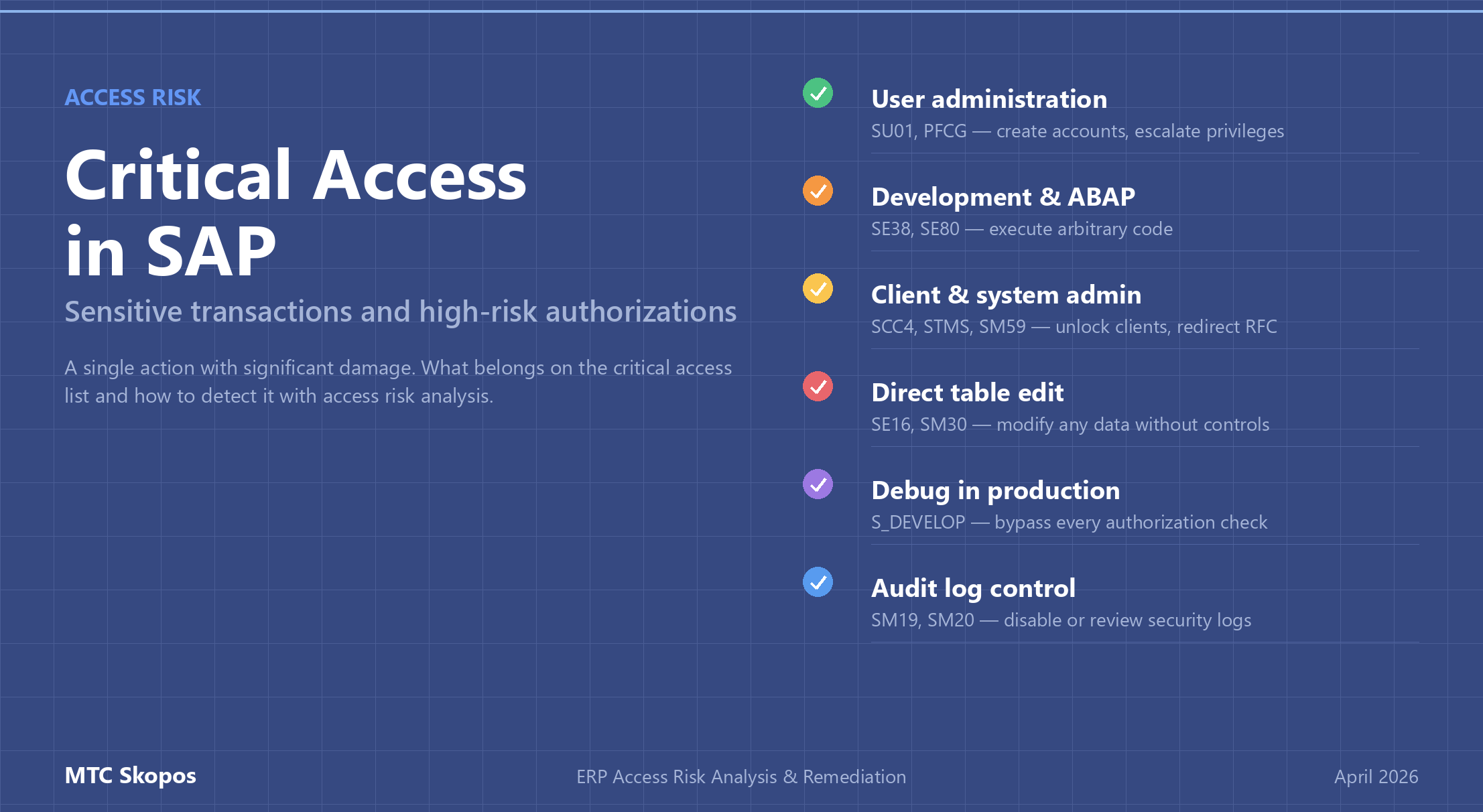
Critical Access in SAP: Sensitive Transactions and High-Risk Authorizations
Critical access in SAP refers to transactions and authorization values that are inherently high-risk: dangerous in isolation, with no conflicting partner required. SU01, SE38, SCC4, SM59, and debug authorization all belong in this category. Critical access analysis is a distinct output of access risk analysis, separate from Segregation of Duties, and must be monitored on its own schedule.
Most organizations hunt SoD conflicts and ignore critical access. One user with SE38 + debug authorization in production is a bigger immediate threat than almost any two-sided conflict, and that user is usually already on the payroll. This guide explains what belongs on a critical access list and how to detect it as part of access risk analysis.
Why critical access is a separate risk category
An SoD conflict needs two sides. A user who can create a vendor but cannot approve payment is not the problem; the problem appears when one person holds both roles. Mitigation has options: split the role, reassign users, document a compensating control.
Critical access works differently. One transaction, significant damage:
- A user with
SU01can create a new account with any profile they want, including SAP_ALL. - A user with
SE38can execute arbitrary ABAP code, including programs that bypass authorization checks or exfiltrate data. - A user with
SM59can redirect RFC connections to external systems. - A user with
SCC4can unlock a production client for changes. - A user with debug authorization (
S_DEVELOPwithOBJTYPE = DEBUG) can set variables at runtime and skip any business logic check.
None of these need a second side. Serious access risk programs treat critical access as its own finding category, scan it against a dedicated list, and review it on a tighter cycle than quarterly SoD.
The critical access list every SAP environment needs
Lists vary by industry and module footprint, but these transactions sit on almost every critical access list:
| Category | Transaction(s) | Risk |
|---|---|---|
| User administration | SU01, SU10, SU02, PFCG, SU22/SU24, SUIM | Create users, modify roles, assign SAP_ALL, escalate own privileges |
| Development / ABAP | SE38, SE80, SE37, SE09, SE10, CMOD, SMOD | Execute arbitrary code, modify function modules, release transports |
| Client / system admin | SCC4, SCC5, SE06, STMS, SM51, SM59, RZ10, RZ11 | Unlock clients, modify system parameters, redirect RFC, control transport system |
| Direct table maintenance | SE16, SE16N, SM30, SM31 (with edit authorization) | Modify any data without application controls or audit trail |
| Debug in production | Any transaction + S_DEVELOP (OBJTYPE=DEBUG, ACTVT=02) | Bypass all authorization checks and business logic |
| Batch & background | SM36, SM37, SM64 (with broad job auth) | Schedule programs running with elevated privileges |
| Remote function calls | SM59, SE37 (RFC execution) | Execute remote function modules, extract data across systems |
| Security audit log | SM19, SM20 | Disable or review audit logging (a user who can disable logs can hide their own actions) |
| Basis utilities | DB02, DB13, RZ20, DB50 | Database-level operations, system monitoring, backup control |
| Spool / print | SP01, SP02 (with authority to view other users' output) | Read confidential print output from other users |
Industry-specific additions to consider:
- FI/CO: FB05, FBV1 (parked document posting), OB52 (posting periods)
- MM: MIRO + OMR6 (vendor payment approval limits)
- HR: PU03 (payroll control record), PA30/PA40 in production
- Security: SE43, SE91 (authorization default maintenance)
Authorization values matter, not just transaction codes
Critical access is not only about the tcode. Authorization values can be just as dangerous:
S_TCODEwith*(any transaction): critical, even if no specific critical tcode is listedS_TABU_DISwith*activity group: read any table dataS_RFCwithFUGR = *: call any function module remotely- Organizational fields (
BUKRS,WERKS,KOKRS) set to*: unrestricted scope
A user who does not technically have SE38 but holds S_DEVELOP with OBJTYPE = PROG, ACTVT = 03 combined with another debug path still has dangerous read access. Critical access analysis has to operate at the authorization-object level, not transaction code, to catch these cases. See our breakdown of authorization-level vs transaction-level analysis for why this matters.
Detecting critical access as part of access risk analysis
Critical access is the second pillar of access risk analysis, alongside SoD. The process:
- Maintain a ruleset entry for each critical transaction and authorization value, including the expected list of users who legitimately need the access.
- Run the ruleset against all users, roles, composites, and profiles. Include derived roles and composite expansions, not just direct assignments.
- Report any user outside the expected list who holds critical access, and any new critical access that was added since the last scan.
- For every user who legitimately holds critical access, record who approved it, when, and why.
- Review monthly for administrators, quarterly for the full population, and immediately after any role catalog change.
MTC Skopos does steps 2 and 3 in the same pass as SoD analysis, so critical access findings land in the same access risk report instead of on a separate audit track that nobody remembers to run.
Critical access vs SoD: different remediation paths
Remediation differs between the two categories:
| SoD conflict | Critical access | |
|---|---|---|
| Fix | Split the role, remove one side, or reassign user to a different role mix | Remove the access, or reassign the transaction to a dedicated admin |
| Compensating control | Did-do monitoring, dual approval on one side | Logging, named-user restriction, privileged-access workflow |
| Review cadence | Quarterly | Monthly for admins, on-change for role catalog updates |
| Audit finding severity | Depends on materiality and did-do evidence | Usually high; single-action risk |
An access risk report that mixes the two categories in a single list hides which findings need immediate action and which can wait for the quarterly remediation sprint. Separate them.
What a good critical access report answers
A useful critical access report answers four questions:
- Who holds the access? Named list, with role and assignment date.
- Which transaction or authorization? Exact tcode, authorization object, and values.
- Is it approved? Cross-reference against an approved-users list.
- Did they use it? Did-do analysis evidence: execution count plus actual change documents.
Most commercial GRC tools answer questions 1 and 2. MTC Skopos adds 3 and 4 in the same pass and exports the full dataset as structured Power BI models, so you can slice by department, approval status, or usage pattern without writing custom queries.