
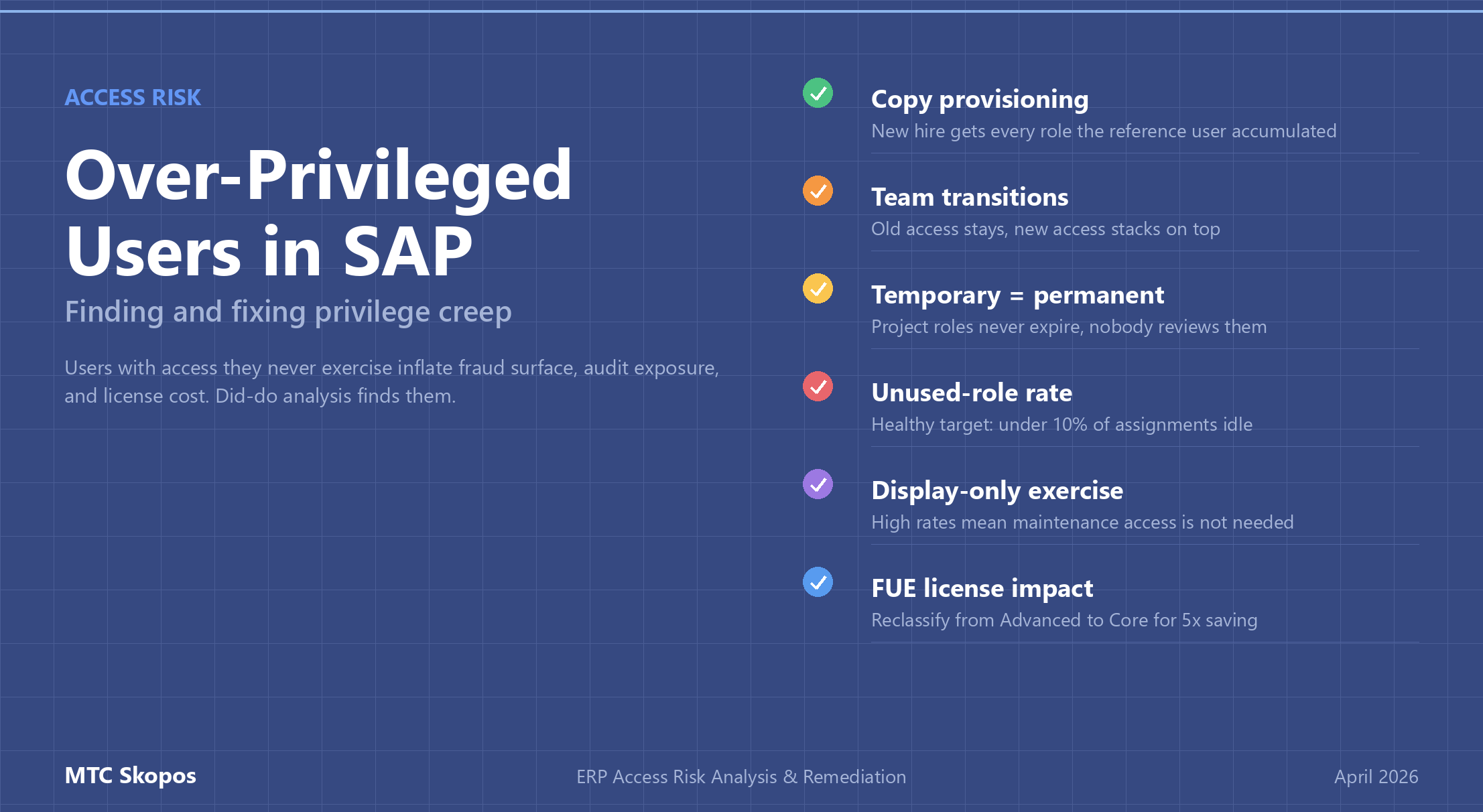
Over-Privileged Users in SAP: Finding and Fixing Privilege Creep
Over-privileged users are SAP users whose assigned roles grant access they do not need for their actual job. This is the quiet third category of access risk, behind Segregation of Duties and critical access. It rarely shows up on the audit radar, yet it inflates fraud surface, complicates access reviews, and drives up SAP license (FUE) costs. Access risk analysis combined with did-do analysis detects over-privileged users by comparing what they can do against what they actually do.
Any long-running SAP environment accumulates privilege creep. Users change teams, projects end, temporary access becomes permanent, role assignments stack up. By the time someone runs a proper access review, the average long-tenured user holds access to dozens of functions they have not touched in 18 months.
What over-provisioning actually looks like
The textbook description, "a user has more access than they need", understates the problem. In a real SAP landscape, over-privileging shows up as:
- A finance analyst who still holds the AP clerk role from three years ago, plus the new FP&A role, plus read access to HR master data someone granted once for a year-end project.
- A plant manager whose organizational-value authorizations are set to
*across company codes because it was easier than deriving a proper role. - An SAP_ALL profile assigned to a consultant's account in a production system that was never removed after go-live.
- A developer who kept their production debug authorization because "we might need it again."
- A manager copied from another manager on day one, inheriting every authorization their predecessor accumulated, whether relevant or not.
Each case alone feels minor. Across 5,000 users and 800 roles, they add up to something auditors flag, licensing reviews charge extra for, and incident response cannot easily contain.
Why privilege creep happens
Three patterns cause most over-privileging:
1. Copy provisioning ("give them the same access as Maria")
A new hire joins. Their manager says "give them the same access as someone already doing the role." Problem: the reference user has been there 12 years, accumulated access from three different positions, and nobody has ever removed the stale roles. The new hire starts day one with far more access than the job requires.
The fix: provision from job-profile composite roles, purpose-built for each position, rather than cloning an individual user's access.
2. Team transitions with no removal
Users move between teams or projects, and their old access stays while new access gets added. After two or three transitions, the user holds the union of every role they have ever had. Nobody authorized this explicitly; nobody caught it in a review.
The fix: trigger an access re-provisioning event on role change. Old roles expire by default; the user's manager has to explicitly reactivate anything still needed.
3. "Temporary" access that becomes permanent
Someone is granted a role for a year-end close, a migration project, or an audit engagement. The deadline passes. Nobody reviews it. Five years later the access is still there.
The fix: every temporary access request should carry an explicit expiration date. SAP supports role validity dates. Use them. Review expired roles quarterly.
Detecting over-privileged users with access risk analysis
Unused access is invisible without behavioral data. Detection needs two inputs side by side:
| Data source | What it shows |
|---|---|
| Authorization data (AGR_USERS, AGR_1251, USR02, UST12) | What each user can do: assigned roles, transaction codes, authorization values |
| Usage data (ST03N, STAD) + change documents (CDHDR, CDPOS) | What each user actually does: executed transactions, real data modifications |
The gap between the two datasets is the over-privileging surface. A user assigned 80 transactions who has executed only 35 in the last year can likely shed 45 authorizations without business impact. That only works when the usage data is trustworthy, which is why did-do analysis matters.
Execution count is not enough
A common mistake: treating "transaction executed" as proof that access is needed. Users often open a transaction just to check a value and leave. No data changed, no business function performed. If execution count alone drives retention decisions, the access review rubber-stamps access that nobody actually uses for anything business-relevant.
Did-do analysis fixes this by correlating authorization with actual change documents. A user who opened XK02 (vendor master change) 40 times but never produced a change document did not really use the transaction; they used it for display. Replace with the display-only variant (XK03) and nothing breaks.
The over-privileging metrics that matter
Four metrics surface over-provisioning at scale:
- Unused-role rate: percentage of a user's assigned roles with zero executions in the last 90 days. Healthy target: under 10%.
- Display-only exercise rate: percentage of transaction executions that produced no change document. Above 50% means the user needs display access, not full maintenance.
- Scope over-reach rate: percentage of a user's authorized organizational values that do not appear in any of their executed transactions. A user authorized for 12 company codes but only posting to 3 has 75% scope over-reach.
- Role age with zero execution: count of roles granted more than 180 days ago with zero usage. First candidates for removal.
MTC Skopos exports all four as structured outputs ready for Power BI dashboards, so access reviews can be driven by data instead of by calling every manager to re-approve the status quo.
Remediation without breaking operations
Removing access feels risky. Take away something still needed and business stops, managers escalate, the SoD program loses credibility. Structured remediation sidesteps this:
- Simulate first. Before removing a role, run a simulation to see every transaction and organizational value the user would lose. Compare against their recent activity.
- Time-box the removal. Mark the role for removal with a 30-day grace period. Watch whether the user requests any of the removed access back.
- Prefer downgrade over removal. Replace a full maintenance role with a display-only variant. Users who actually need maintenance will complain; users who were just over-provisioned will not notice.
- Schedule reviews around natural checkpoints. Year-end, quarter transitions, and new-hire onboarding waves are good alignment points.
- Use did-do evidence in the access-request workflow. When a user asks for access, show their historical usage pattern. If they previously held the access and did not use it, the approver has context to push back.
Over-privileging and SAP license (FUE) optimization
Over-privileged users often sit in a higher SAP license tier than their actual usage justifies. A user classified as Advanced Use (1.0 FUE) because they hold a handful of transactional authorizations they never execute can often be reclassified to Core Use (0.2 FUE) or Self-Service (0.033 FUE) once the unused access is removed.
Privilege-creep remediation pays twice: lower access risk and lower license cost. See our FUE optimization guide for the arithmetic. At typical RISE with SAP contract prices, reclassifying 60 users from Advanced to Core saves six figures annually.