
AI Role Designer: From Functional Blueprint to SoD-Free Roles in Weeks
Role redesign is the hardest problem in SAP access governance. Not because the logic is complicated, but because the process is. You need to understand what users actually do, map that to a target role concept, verify the concept doesn't introduce new SoD conflicts, fix the ones it does, validate coverage, get business sign-off, and then build hundreds of roles in SAP. Each cycle takes weeks. Most organizations get through two or three iterations before the project budget runs out.
We built the AI Role Designer to collapse that entire cycle into a conversation.
The Problem with Traditional Role Redesign
A typical role redesign engagement looks like this:
-
Discovery (2-4 weeks): Consultants interview business process owners, document job functions, map departments to roles. Output: a functional design document in Excel.
-
Design (3-6 weeks): Take the functional design, cross-reference it against actual transaction usage, propose new single roles, map them to composite roles. Iterate with the business. Output: a role design workbook.
-
Validation (2-4 weeks): Build simulation tables, run SoD analysis against the new design, find the conflicts that slipped through, fix them, re-simulate, re-analyze. Repeat until clean. Output: a validated, SoD-free design.
-
Build (4-8 weeks): Create every single role in PFCG, populate authorization objects from SU24 defaults, adjust field values, build composite roles, assign users, test. Output: live roles in SAP.
That's 11-22 weeks at minimum. And it assumes everything goes right the first time, which it never does. A single mistake in the composite mapping (one maintain role accidentally shared across AP and GL composites) reintroduces the exact SoD conflicts you spent months eliminating. You don't find out until you re-run the analysis.
The bottleneck isn't knowledge. It's iteration speed.
How the AI Role Designer Works
The AI Role Designer uses MTC Skopos as its analytical engine and connects through the Model Context Protocol (MCP). The AI orchestrates the analysis, cutting the time between "here's what we want" and "here's a validated design" from weeks to minutes.
Step 1: Connect the AI to Skopos
The MTC Skopos MCP server exposes the full analytical toolkit: risk analysis, role descriptions, remediation reports, simulation capabilities, SU24 lookups, and usage data. Any MCP-compatible AI client (Claude Desktop, Claude Code, Cursor, or your own agent) connects in minutes.
Once connected, the AI can query your actual SAP authorization data, run SoD analyses, and retrieve pre-computed results. It's not working from generic SAP knowledge. It's working from your system, your roles, your users.
Step 2: Provide the Functional Design
The business process owner provides a functional design, a structured description of how roles should be organized. This is the human input that no AI can replace: the business decision about who should do what.
A functional design maps:
- Job profiles to departments (Accounts Payable, Treasury, Finance Manager, Sales Operations, etc.)
- Functions within each profile (Process Vendor Invoices, Execute Payments, Post Journal Entries)
- Tasks within each function (Manual posting, Reversal, Park document)
- Keywords that link tasks to SAP transactions (FB60, F110, payment, invoice, vendor)
This is where domain expertise matters. The business decides that the AP team handles vendor invoices. Once that decision is made, the AI handles everything downstream.
Step 3: AI Generates the Role Concept
The AI takes the functional design and combines it with actual data from your SAP system:
User-role matrix: Who has which roles today, and what do they actually execute? The AI cross-references employee data against composite role assignments and transaction usage logs. Every transaction code gets an execution count per user, per role. Actual behavior, not theoretical access.
Usage-driven matching: The Keywords column in the functional design drives automated matching. Transaction codes are classified into the business owner's task structure based on both exact tcode matches and description matching against TSTC. Only transactions that users actually execute make it into the new design. Zero-usage transactions are flagged for review, not silently included.
Single role generation: The AI produces concrete new single roles following your naming convention. Display roles are separated from maintain roles. Domain-sensitive maintain roles (those involving transactions that check F_BKPF_KOA) are split by account type: AP gets KOART=K, AR gets KOART=D, GL/Treasury gets KOART=S. This domain isolation is the foundation of SoD-free design.
Composite mapping: Each single role is assigned to the appropriate composite roles. Maintain roles stay within their domain. Display roles can be shared. Sensitive transactions (payment runs, master data maintenance) are isolated in addon roles with 1:1 composite wrapping, individually assigned per user, never bundled into core composites.
The output is a complete Single Role Design workbook: role summary, role detail with every transaction, composite mapping matrix, and statistics.
Step 4: Simulate and Run Risk Analysis
This step traditionally takes weeks. The AI does it in minutes.
The AI generates simulated SAP role tables (AGR_DEFINE, AGR_AGRS, AGR_1251, AGR_1252) directly from the design workbook. It populates full authorization object data using SU24 defaults from USOBX_C and USOBT_C. Activity values are adjusted based on role type: display roles get ACTVT=03, maintain roles get ACTVT=01/02, with special activities (77, 08, 16) preserved.
These simulation tables are loaded into MTC Skopos, which runs a full SoD risk analysis on the proposed design, the same analysis it would run on roles that already exist in SAP.
Step 5: Analyze Results and Fix
If the risk analysis comes back clean: congratulations, you're done. Skip to Step 7.
It won't come back clean the first time. It never does. But now the AI can diagnose exactly why.
Root cause classification: Every remaining SoD risk is classified as either SELF-CONFLICTING (the same transaction code appears in both SoD functions, inherent to the tcode, can't be fixed by role splits alone) or SEPARABLE (distinct tcodes on each side, fixable by redistributing them across roles).
Domain violation detection: The AI scans the composite mapping for maintain roles assigned outside their home domain. An AP maintain role sitting in a GL composite? That's a cross-domain violation, and the most common root cause of residual SoD conflicts.
Automated remediation: For separable risks, the AI applies domain-specific splits (creating AP, AR, and GL variants differentiated by KOART), removes cross-domain assignments, and splits within-domain roles that bundle conflicting functions. For self-conflicting risks (F110 inherently maps to both payment proposal and payment run), it documents residual risks with recommended mitigating controls.
Step 6: Iterate Until Satisfaction
After applying fixes, the AI regenerates the simulation tables, Skopos re-runs the analysis, and the cycle repeats. Each iteration takes minutes, not weeks.
The business process owner stays in control. They review each iteration:
- "I don't want Treasury users losing access to FB01. Can we keep it with a KOART restriction?"
- "The Cash Management team also needs AR clearing. Add Credit Management as a secondary composite."
- "That addon role for payment runs needs dual approval as a mitigating control."
The AI adjusts the design, re-simulates, and re-validates. Three or four iterations typically gets to a clean design that the business is comfortable with.
Completeness validation: Before signing off, the AI runs a full coverage check. Every transaction code that every user actually executed must be present in their new role assignment. Users are mapped to new composites based on their department, cross-domain needs are detected from their old role assignments, and addon roles are assigned where core composites don't cover edge cases. The output is a completeness report with per-user coverage percentages. Anything below 100% gets flagged with specific gap details.
Step 7: Build the Roles
Once the design is validated, the roles need to be built in SAP. Two paths:
Manual build: Export the design workbook to your Basis team. The Single Role Design contains everything they need: role names, transaction assignments, authorization object values, KOART restrictions, composite mappings. Standard PFCG work, but with a complete, pre-validated specification.
AI-assisted build: Connect the AI to your SAP environment through a second MCP server that exposes PFCG operations, role creation, and authorization maintenance. The AI can create single roles, populate authorization objects from the design specification, build composite roles, and assign users. The human approves each step. The AI handles the repetitive execution.
This second MCP connection is optional and requires careful authorization governance (the irony isn't lost on us). The service account running the MCP server needs only the permissions required for role maintenance, nothing more. And every action is logged and auditable.
What's under the hood
Most AI integrations in GRC are thin wrappers: a chatbot that answers questions about your data, or a copilot that helps you navigate a complex interface. The AI Role Designer is a pipeline of specialized agents, each handling a specific phase of the redesign process, working in sequence and feeding results to each other through MTC Skopos.
These agents understand KOART domain isolation, SU24 authorization object mappings, USOBT_C validation, FBTCH payment batch restrictions, and composite-to-single role architecture patterns, because they were built specifically for this workflow.
Without specialized agents
The alternative is manual orchestration. Without purpose-built agents, you're asking a general-purpose AI to figure out SAP role design from first principles every time. It might get the broad strokes right, but it won't know that GL and Treasury share KOART=S and should be merged into one variant instead of split into two. It won't know to check USOBT_C before creating domain-specific role copies, because creating an AP variant of a role where no transaction checks F_BKPF_KOA adds complexity with zero SoD benefit. It won't know that F110 inherently maps to both "Payment Proposal" and "Payment Run" and cannot be resolved by tcode-level splits.
MTC Skopos encodes this domain knowledge into the agent pipeline. Each agent knows what it needs to produce, what data to consume, and what validation to perform. The workflow was designed around real role redesign engagements, not theoretical frameworks.
The agent pipeline
The AI Role Designer is a coordinated pipeline of specialized agents, each responsible for a discrete phase:
Role Redesign Agent is the orchestrator. Takes the functional design template, employee data, composite role exports, and SU24 configuration as inputs. Produces the complete deliverable chain: user-role matrix (current state analysis), new functional design (usage-populated), single role design (with KOART, FBTCH, naming convention), and a stakeholder presentation deck. This agent understands the full architecture: display/maintain splits, addon isolation with 1:1 composite wrapping, domain-specific role naming, and process-area-to-module mapping.
Role Rebuild Simulation Agent bridges design and validation. Reads the Single Role Design workbook and generates realistic SAP role tables (AGR_DEFINE, AGR_AGRS, AGR_1251, AGR_1252) using SU24 defaults. It produces full authorization object/field/value data with ACTVT adjustment per role type, three-tier KOART resolution (explicit column, process area fallback, composite-domain context), and FBTCH filtering for payment roles. The output is indistinguishable from what PFCG would generate.
SoD Root Cause Agent is the diagnostician. After MTC Skopos runs risk analysis on the simulated roles, this agent classifies every remaining SoD risk at the transaction code level. It distinguishes between SELF-CONFLICTING risks (same tcode appears in both SoD functions, requires authorization object restriction or mitigating control) and SEPARABLE risks (distinct tcodes on each side, fixable by redistributing across roles). It produces a tcode conflict matrix sorted by impact, showing exactly which transactions drive the most conflicts and what remediation lever applies to each.
SoD-Free Design Agent is the fixer. Takes the root cause analysis and systematically eliminates every separable risk. It applies domain-specific role splits validated against USOBT_C (only creating variants where KOART differentiation is technically effective), removes cross-domain composite assignments, and splits within-domain roles that bundle conflicting functions (AP payment vs. AP invoice, AR receipt vs. AR clearing). It knows the rationalization rules: no variants for all-N/A roles, merged GL/Treasury variants for shared KOART=S. The output is an updated Single Role Design workbook ready for re-simulation.
Completeness Validation Agent is the final checkpoint. Maps every user to their new composite roles based on department, detects cross-domain needs from old role assignments, assigns addon roles for edge cases, and validates that 100% of each user's actually-executed transactions are covered by the new design. Produces an executive summary dashboard, per-user coverage report, tcode gap analysis, and composite role matrix. Any gap below 100% is flagged with the specific missing transactions and a recommendation.
The Pipeline in Action
These agents don't run in isolation. They form a closed loop:
Functional Design ──► Role Redesign Agent ──► Single Role Design
                                                      │
                                                      ▼
                                          Rebuild Simulation Agent ──► AGR_* Tables
                                                                           │
                                                                           ▼
                                                                    MTC Skopos
                                                                    Risk Analysis
                                                                           │
                                                                           ▼
                                                              Root Cause Agent
                                                              (diagnose risks)
                                                                           │
                                                                           ▼
                                                              SoD-Free Agent
                                                              (fix design)
                                                                           │
                                                      ┌────────────────────┘
                                                      ▼
                                          Rebuild Simulation Agent ──► Re-analyze
                                                      │
                                              (iterate until clean)
                                                      │
                                                      ▼
                                          Completeness Agent ──► Go / No-Go
Each cycle through the loop takes 10-15 minutes. The business process owner reviews after each iteration and provides direction. The agents handle the mechanical work: generating workbooks, building simulation tables, classifying risks, applying fixes, validating coverage.
Compared to generic AI
A general-purpose AI can reason about SAP role design. These agents execute it:
| Capability | Generic AI | MTC Skopos Agents |
|---|---|---|
| Understands SoD concepts | Yes (from training data) | Yes (encoded in workflow) |
| Generates concrete role names | Maybe (inconsistent naming) | Yes (follows your naming convention) |
| Validates KOART against USOBT_C | No (doesn't have the data) | Yes (parses SU24 tables per-tcode) |
| Produces simulation-ready AGR tables | No | Yes (full auth object/field/value data) |
| Runs actual SoD analysis on proposed design | No | Yes (through MTC Skopos engine) |
| Classifies risk root causes | Generic advice | Tcode-level SELF vs SEPARABLE with remediation levers |
| Validates user coverage | No | Per-user % with gap details |
| Iterates automatically | No | Closed-loop: fix → simulate → analyze → repeat |
MTC Skopos provides the analytical engine, the MCP server connects it to the agents, and together they turn what used to be a consulting engagement into a repeatable, auditable workflow.
The Iteration Loop: Why Speed Matters
The AI Role Designer isn't smarter than your consultants. It's faster at iterating.
A human consultant running through the redesign cycle (modify design, export, simulate, load into analysis tool, run analysis, interpret results, trace back to root cause, modify design again) burns 2-3 days per iteration. The AI does it in 10-15 minutes.
That changes the economics of quality. When each iteration costs days, you settle for "good enough" after three rounds. When each iteration costs minutes, you keep going until the design is genuinely clean. You explore alternatives. You test whether moving one transaction from an addon to a core role introduces a conflict. You verify that the Cash Management team's cross-domain access doesn't break the Treasury team's SoD posture.
Faster iterations mean more room for judgment, not less.
What Stays Human
The AI Role Designer automates the mechanical work. The strategic decisions stay with people:
Functional design: Which departments exist, what functions they perform, which tasks belong where. This is organizational knowledge that lives in people's heads, not in SAP tables.
Risk appetite: When a residual risk can't be eliminated by role design, someone has to decide whether to accept it with a mitigating control or restructure the business process. That's a judgment call.
Business validation: The completeness report might show 100% coverage, but coverage isn't the same as correctness. A business process owner needs to confirm that the AP team's new role concept actually matches how they work, not just that it includes the right transaction codes.
Change management: New roles mean new access patterns. Users who had broad access get narrower roles. Some will push back. Managing that is a human problem.
Technical Architecture
                                    ┌─────────────────────┐
                                    │  Business Process    │
                                    │  Owner               │
                                    │  (Functional Design) │
                                    └──────────┬──────────┘
                                               │
                                               ▼
┌──────────────┐    MCP     ┌──────────────────────────────┐
│  AI Client   │◄──────────►│     MTC Skopos MCP Server    │
│  (Claude)    │            │  - Risk analysis             │
│              │            │  - Role descriptions         │
│  Orchestrates│            │  - Usage data                │
│  the cycle   │            │  - Simulation engine         │
│              │            │  - SU24 lookups              │
└──────┬───────┘            └──────────────────────────────┘
       │
       │ MCP (optional)
       ▼
┌──────────────┐
│  SAP System  │
│  MCP Server  │
│  - PFCG ops  │
│  - Role build│
│  - Auth maint│
└──────────────┘
The architecture is deliberately simple. MTC Skopos handles the heavy computation: SoD analysis, SU24 enrichment, usage correlation. The AI handles orchestration: taking inputs, calling the right tools, interpreting results, proposing changes. The MCP protocol connects them without either side needing to know the other's internals.
A Worked Example
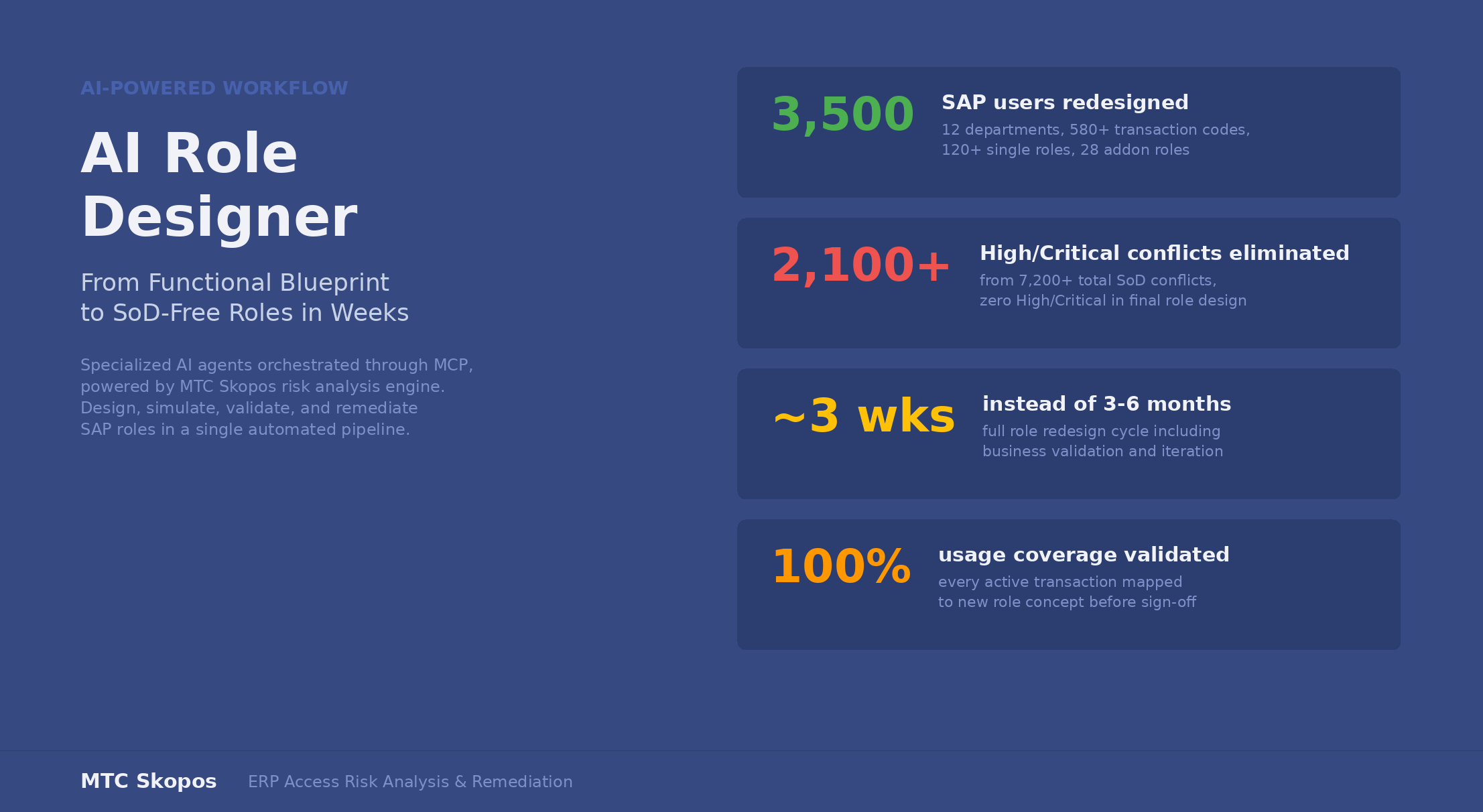
An organization with 3,500 SAP users across 12 departments runs an initial SoD analysis and finds 7,200+ conflicts, of which 2,100 are rated High or Critical. The audit committee wants the High and Critical conflicts eliminated from the role design. Medium and Low risks can be accepted with mitigating controls.
Week 1: The Finance Director provides a functional design template covering AP, AR, GL, Treasury, Tax, Asset Accounting, Cash Management, Finance Management, Controlling, Sales, Procurement, and Warehouse. Each job profile lists the functions and tasks their teams perform. The AI generates a user-role matrix showing current state: who has which roles, what they actually execute. It produces a new functional design populated with real execution data, mapping every used transaction to the business owner's task structure. 580+ transaction codes are classified across 12 job profiles. 93 transactions with zero usage are flagged for review. Business process owners review the matrix and confirm task classifications.
Week 2: The AI generates 120+ core single roles and 28 addon roles. Display and maintain roles are split. Domain-sensitive roles are isolated by KOART. The composite mapping assigns each single role to the appropriate job profile composites. First simulation and risk analysis against the full ruleset: High/Critical conflicts drop from 2,100 to 34. Root cause analysis on those 34: 22 are SEPARABLE (fixable by further role splits), 8 are SELF-CONFLICTING (inherent to tcodes like F110), 4 are cross-domain violations (maintain roles leaking across composites). AI applies fixes: domain splits, composite cleanup, within-domain function isolation. Second simulation: 8 High/Critical risks remain, all self-conflicting and inherent to the transaction codes. These are documented with recommended mitigating controls.
Week 3: Completeness validation. 3,460 of 3,500 users have 100% transaction coverage. 40 users with unusual cross-department activity need manual review and addon role assignment. Business process owners review the full design, request adjustments for edge cases in Controlling and cross-module postings. AI implements changes, re-validates. Final state: zero High/Critical SoD conflicts in the role design. Medium/Low risks accepted with documented mitigating controls. Stakeholders sign off.
Three weeks. Not three to six months.
Getting Started
The AI Role Designer is available today for MTC Skopos customers. You need:
- MTC Skopos with your SAP data loaded (role exports, SU24 tables, usage logs)
- An MCP-compatible AI client (Claude Desktop, Claude Code, Cursor, or similar)
- The MTC Skopos MCP server connected to your AI client
- A functional design template filled by your business process owners
The functional design is the only input that requires human preparation. Everything else (matrix generation, role design, simulation, risk analysis, completeness validation) is orchestrated by the AI through Skopos.
For organizations that want AI-assisted role building in SAP, a second MCP server connecting to your SAP environment can be configured with appropriate governance controls.
Ready to redesign roles in weeks instead of months?
Load your SAP data, connect the MCP server, and let AI orchestrate the redesign cycle. Keep the business decisions human. Let the machine handle the iterations.
Related Articles
- AI Meets SAP Security: How MCP Transforms MTC Skopos - How MCP connects AI to your SAP security data
- Advanced Remediation: AI-Powered SAP Access Risk Resolution - Deep dive into the remediation algorithm
- Building an Effective SoD Ruleset for S/4HANA - SU24-integrated ruleset design
- AI & the Future of GRC Consulting - Why tool complexity is becoming a liability
- SoD Conflicts in SAP: How to Detect and Resolve Them - Practical guide to SAP SoD conflict resolution